Best Beef Stew

Best Beef Stew

This recipe is from America's Test Kitchen, and is wonderful.  It takes a bit of time to put together, but is very easy if you follow the directions (and is worth it!)

Serves 6 to 8.   Published January 1, 2010.   From Cook's Illustrated.

Use a good-quality, medium-bodied wine, such as Côtes du Rhône or Pinot Noir, for this stew. Try to find beef that is well marbled with white veins of fat. Meat that is too lean will come out slightly dry. Four pounds of blade steaks, trimmed of gristle and silver skin, can be substituted for the chuck-eye roast. While the blade steak will yield slightly thinner pieces after trimming, it should still be cut into 11/2-inch pieces. Look for salt pork that is roughly 75 percent lean. The stew can be cooled, covered tightly, and refrigerated for up to 2 days. Reheat it gently before serving.

Ingredients

2 medium garlic cloves , minced or pressed through garlic press (about 2 teaspoons)
4 anchovy fillets , finely minced (about 2 teaspoons)
1 tablespoon tomato paste
1 boneless beef chuck-eye roast (about 4 pounds), trimmed of excess fat, cut into 1 1/2-inch pieces (see note and step by step below)
2 tablespoons vegetable oil
1 large onion , halved and cut from pole to pole into 1/8-inch-thick slices (about 2 cups)
4 medium carrots , peeled and cut into 1-inch pieces (about 2 cups)
1/4 cup unbleached all-purpose flour
2 cups red wine (see note)
2 cups low-sodium chicken broth
2 bay leaves
4 sprigs fresh thyme
4 ounces salt pork , rinsed of excess salt (see note)
1 pound Yukon gold potatoes , scrubbed and cut into 1-inch pieces
1 1/2 cups frozen pearl onions , thawed
2 teaspoons unflavored powdered gelatin (about 1 packet)
1/2 cup water
1 cup frozen peas , thawed
Table salt and ground black pepper

Instructions

1. Adjust oven rack to lower-middle position and heat oven to 300 degrees. combine garlic and anchovies in small bowl; press with back of fork to form paste. Stir in tomato paste and set mixture aside.

2. Pat meat dry with paper towels. Do not season. Heat 1 tablespoon vegetable oil in large heavy-bottomed Dutch oven over high heat until just starting to smoke. Add half of beef and cook until well browned on all sides, about 8 minutes total, reducing heat if oil begins to smoke or fond begins to burn. Transfer beef to large plate. Repeat with remaining beef and 1 tablespoon vegetable oil, leaving second batch of meat in pot after browning.

3. Reduce heat to medium and return first batch of beef to pot. Add onion and carrots to Dutch oven and stir to combine with beef. Cook, scraping bottom of pan to loosen any browned bits, until onion is softened, 1 to 2 minutes. Add garlic mixture and cook, stirring constantly, until fragrant, about 30 seconds. Add flour and cook, stirring constantly, until no dry flour remains, about 30 seconds.

4. Slowly add wine, scraping bottom of pan to loosen any browned bits. Increase heat to high and allow wine to simmer until thickened and slightly reduced, about 2 minutes. Stir in broth, bay leaves, thyme, and salt pork. Bring to simmer, cover, transfer to oven, and cook for 11/2 hours.

5. Remove pot from oven; remove and discard bay leaves and salt pork. Stir in potatoes, cover, return to oven, and cook until potatoes are almost tender, about 45 minutes.

6. Using large spoon, skim any excess fat from surface of stew. Stir in pearl onions; cook over medium heat until potatoes and onions are cooked through and meat offers little resistance when poked with fork (meat should not be falling apart), about 15 minutes. Meanwhile, sprinkle gelatin over water in small bowl and allow to soften for 5 minutes.

7. Increase heat to high, stir in softened gelatin mixture and peas; simmer until gelatin is fully dissolved and stew is thickened, about 3 minutes. Season with salt and pepper to taste; serve.
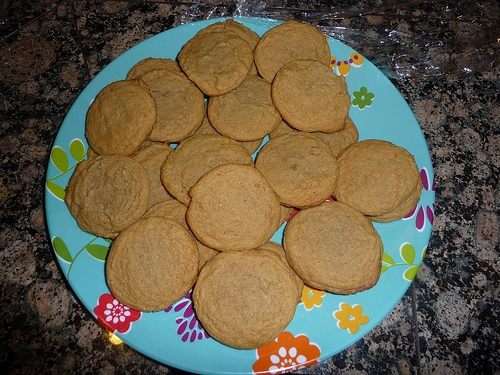
Ginger Molasses Cookies

Just in time for the holidays, a great recipe for some soft, spicy cookies. Ginger Molasses Cookies

Makes about 2 dozen cookies

Wet ingredients: 1 cups sugar 3/4 cups (1.5 sticks) unsalted butter 1/4 cup molasses 1 eggs

Dry ingredients: 2 cups all-purpose flour 1/2 t. baking soda 1/4 to 1/2 t. salt 11/4 t. cinnamon 1/2 t. ginger 1/8 t. nutmeg

Pre-heat oven to 350 degrees. In large mixing bowl, beat sugar and butter until light and fluffy.  Add molasses and eggs; beat well.

Whisk dry ingredients in separate bowl to combine.  Add flour mixture to butter mixture in two batches. Mix well until incorporated.

Form dough into walnut-sized balls (or use a small cookie scooper) and arrange onto cookie sheets lined with parchment paper or silpat.

Bake at 350 for 8 to 10 minutes or until edges just begin to brown. Cool 1 minute; remove from cookie sheets. Cool on wire racks.

Ginger Molasses Cookies

Ellie's Black Bean Dip

This recipe is so easy, and healthy, and really good.  Hopefully this post is in time for a few holiday potlucks, to provide a healthy alternative to all the other fattening dips.  This isn't just good for being healthy, it is delicious regardless.

By Ellie Krieger, MS, RD

Ingredients

  • 2 teaspoons olive oil
  • 1/2 medium onion, diced (about 3/4 cup)
  • 1 clove garlic, minced (about 1 teaspoon)
  • 1 tablespoon seeded and minced jalapeño pepper
  • 1 (15.5 ounce) can black beans, preferably low-sodium, drained and rinsed
  • 2 tablespoons fresh lime juice
  • 1/4 teaspoon ground cumin
  • 2 tablespoons coarsely chopped fresh cilantro
  • 1 tablespoon water
  • Salt and freshly ground black pepper to taste

Cooking Instructions

  1. Heat the oil in a medium skillet over medium-high heat. Add the onion and cook, stirring, until softened, about 5 minutes. Stir in the garlic and jalapeño and cook for 1 minute.
  2. Place the beans in a food processor. Add the onion mixture and the remaining ingredients and process until smooth.

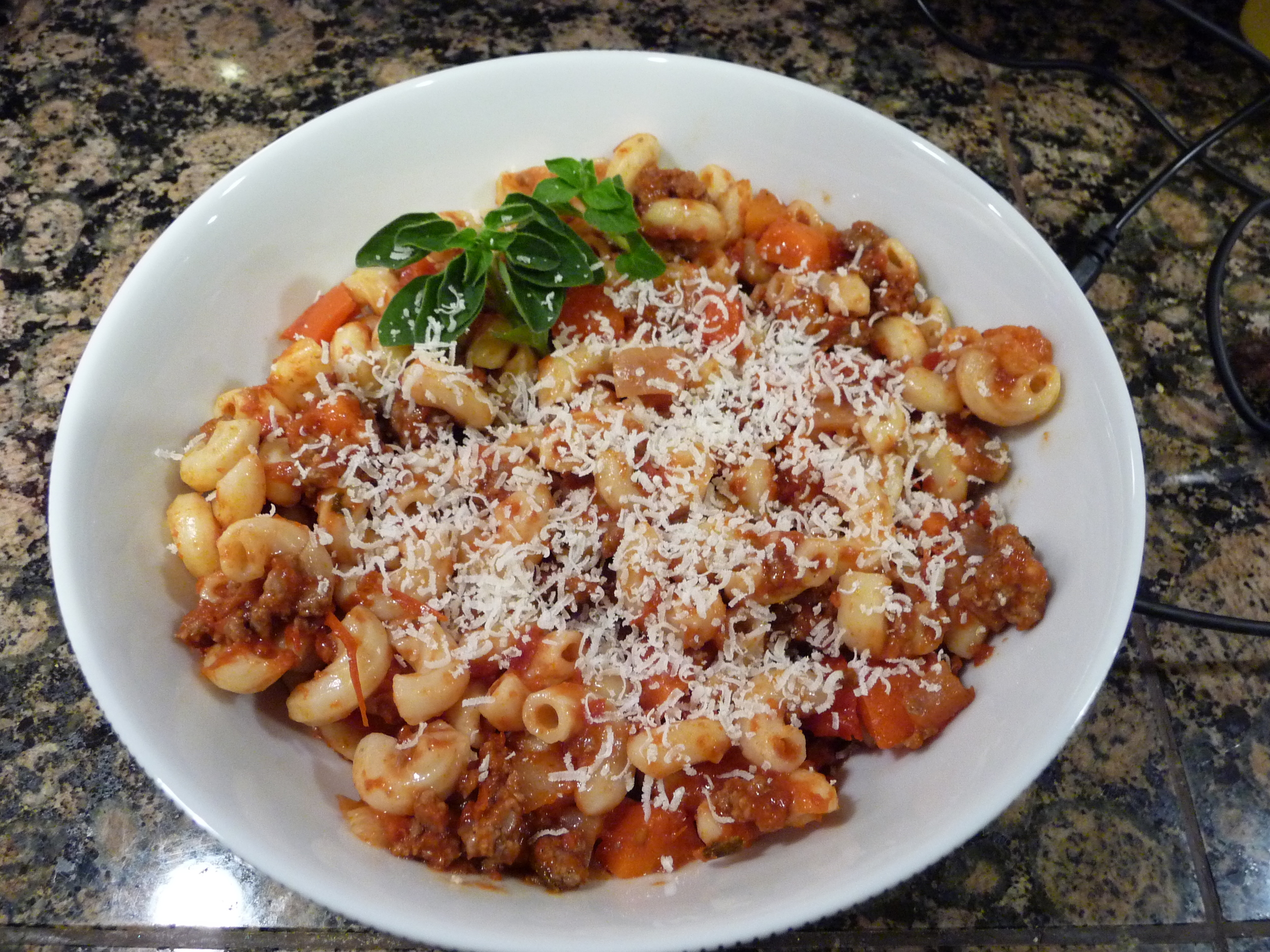
Beef and Macaroni

This recipe is so easy, and a crowd favorite.  This recipe makes a pretty large portion, so I freeze the extra, and reheat it in the microwave later. 

Chili Mac
serves 6, prep 15 min, cook 40 min
  • 1 pound ground beef, I used the leanest I can get
  • 1 red onion, finely diced
  • 1 red bell pepper, finely diced
  • 2 carrots, finely diced (or 10 baby carrots)
  • 2 garlic cloves, minced
  • 1 tbsp butter
  • 1 tbsp oil
  • 1 small can tomato paste
  • 28 oz canned diced tomatoes
  • 1 tbsp dried oregano
  • 1 tbsp dried parsley (or dried basil, I was out)
  • 1 tsp sweet paprika
  • 2 tsp sugar
  • salt and pepper
  • 2 cups uncooked macaroni noodles
  • Red pepper flakes (to taste)
  1. First finely dice the onion, pepper, and carrots.
  2. Cook the ground beef in a dutch oven, seasoning with salt and pepper. Drain fat and discard.
  3. In the same durch oven, heat oil over medium heat and add butter.
  4. Add the vegetables and garlic and stir to cook several minutes until soft.
  5. Add the tomato paste and cook, stirring for a minute.
  6. Add the un-drained diced tomatoes to the pan and the cooked ground beef.
  7. Add the spices and turn down the heat to a simmer, cover the pan and cook for 30 min.
  8. While sauce is cooking bring a large pot of salted water to a boil.
  9. Cook macaroni until tender, reserve 1 cup of pasta water, drain.  Do not rinse.  If your sauce seems to be drying out at any point add in some of your reserved pasta water as needed.
  10. Taste sauce and season with salt and pepper.
  11. Combine with noodles. Toss to mix well and separate the noodles. Serve.

Essential (or just plain cool) Android Applications

Do you want more cool app recommendations?  Download my App, and get them delivered daily:

http://mswolfson.wordpress.com/2010/05/18/droid-of-the-day-available-now-in-android-market/

My list of indispensable apps:

I don’t remember all of the cool Android apps I have downloaded, but here is a rundown of the ones I find most useful. I intend to keep this post updated when I find cool new apps. If you know of an Android app, that is really cool, or that you can't live without, please list it in the comments!

Linda – file manager Google Voice (but only if you have a GV account – which I have invites) – look online for what this does, it basically allows you to control all your communication (works on Verizon too!);  Now allows you to use GV for all your voicemails - so you get transcription, and visual voice mail - this is a must have, even if you don't use a GV number. ACast – podcast aggregator (I am sticking with this over Google Listen, as it is more straightforward, and finds updated feeds quicker) SavvyShoppper - comparison shop products by bar code MissedCall – changes LED based on type of notification (SMS, VoiceMail); fully configurable (this doesn't work on my Nexus One - I miss it) Barcode Scanner – read all sorts of different barcodes (including 2D) MyTracks – good for running or hiking; keeps track of distance traveled, speed, elevation gain etc; good for keeping track of workouts (From Google) Scoreboard – for sports fans, gives you notifications of sports scores (From Google - doesn't reliably give my updates on my N1 unfortunately) USA Today – news Facebook – they have an official app Twidroid – my favorite Twitter App (but I don’t use Twitter that much, so I may not be the person to endorse this).  People like Seesmic too. Shazam – identify any song by “listening” to it; tells you song information Pandora – internet radio Layar – augmented reality puts information on top of the map (or streetview) with tons of different information; This is just the beginning of this sort of app, this sort of functionality will be huge in the future Locale - change phone settings based on location; kind of buggy but when it works, it is great.  When going to download this to my N1, they are now charging for this - $9.99, this is too expensive, as this app doesn't work reliably.  I am willing to put up with bugginess on a cheap app, but not if I am paying for it. 3Banana – list manager (integrated with website to keep lists on phone and web) TuneWiki - alternative Media player, with the coolest feature that is downloads lyrics, and displays them in sync with the music;  Also will link out to music video of songs if it knows of them - Ad Supported. Dolphin Browser - alternative browser with some cool features.  I like the way it handles tabs, and it uses some great getures, to allow easier navigation.  Also includes multi-touch, for all phones, which is pretty cool.

Some apps I am playing with, but can't endorse yet:

Pro Paint Camera - replacement for stock camera, with enhanced functionality (photo effects, advanced white balance, etc) http://www.popcrowd.com

Geogad Tours - audio and video clips that create tours of specific locations. Web site: http://www.geogad.com Download link: http://market.android.com/search?q=pname:com.geogad

ShapeWriter - different on-screen keyboard that allows you to link words by holding down on keyboard to make work (with predictive text correction). http://www.shapewriter.com

Swype - another alternative keyboard.  Didn't work great on my N1, kept giving me screen resolution errors.  But I liked the idea, thought it worked pretty well.  Here is a link to a site with a link to a beta copy of it.  Not sure if it will always be available.  http://www.androidcentral.com/download-beta-version-swype-android

Cafe Bink Review (Carefree, AZ)

Ate there this weekend.  The experience was great, but the food was just OK. First off, I would say the patio is a wonderful place to spend a fall afternoon.  Sitting in the shade, looking across Tom Darlington Road at the mountain vista is special.  The restaurant has a killer location, and atmosphere.

Me and my SO each had a bowl of soup, and split a sandwich.  She had the butternut squash soup, which she loved.  They presented the soup, as a bowl, with a crouton in it, then they poured the soup at the table out of a small tureen.  This is a classy service step (and one of the many things they do here, to "turn it up a notch" just a bit)).

I had the french onion soup, which was great as well.  This soup takes a long time to cook right (reduce the onions over and over), so not something I will make at home.  It was pretty good at Cafe Bink.  The flavors were balanced, if a bit salty.

We then split the corned beef sandwich.  I was pleasantly surprised to find the corned beef was obviously home made (in hindsight, I guess most of the items on the menu were probably made from scratch, as that is the Binkley way).  The sandwich was fine, but nothing amazing.

Finally, we split a baby order of french fries.  We are glad we got the baby, as it was a very large portion.  The fries themselves were pretty great.  Crispy on the outside, and soft on the inside.  The 3 sauces that came with them (truffle catchup, garlic aioli, and sauce vert) were not great.  The catchup was overwhelmed by the truffle, not balanced, the sauce vert didn't have much of a taste, and I didn't try the aioli (I am mayo averse).

Overall, while the quality of the food was all pretty good, I wouldn't say that any of the dishes were really outstanding, and probably not worth the high prices.  Nothing we had "wowed" us.

I have to give major props to the service.  We had our 14 month old in tow, and the staff bent over backwards to make us comfortable (the server even offered to have the chef make a special macaroni and cheese dish - off the menu for her).  I am the kind of person who is very self conscious of my child interfering with other peoples meals, and generally uncomfortable with taking her out.  The staff really put me at ease, and allowed me to enjoy my meal.  I can't say enough how their attitudes really enhanced our experience.  From what I saw, the service at Cafe Bink is excellent all around.

So bottom line, I can't exactly recommend Cafe Bink as a destination restaurant, it probably isn't worth the drive.  But, if you are already in Cave Creek, or Carefree, you could certainly do worse.  One thing is for sure, the staff will bend over backwards to make sure you have a great experience, and that  says a lot.

Microsoft Retail Store (First Impressions)

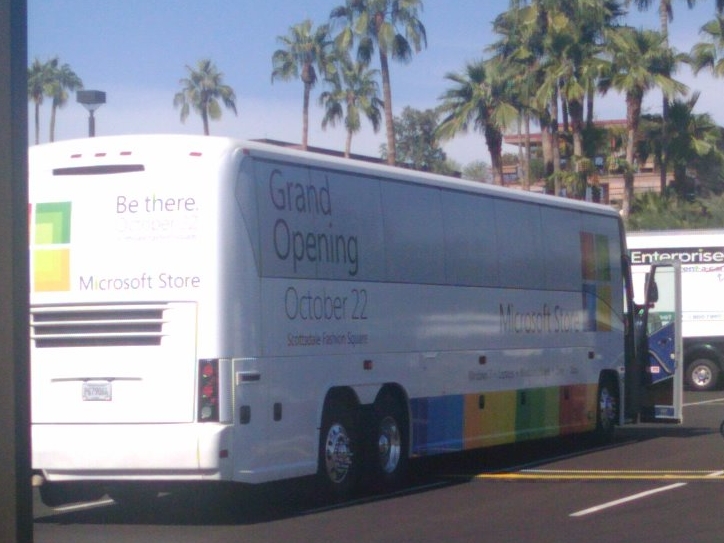
I am definitely a geek, so naturally when I heard Microsoft opened their first retail store today in my hometown, I made plans to head there as soon as I could.  Overall, I was actually impressed with what I saw. The Microsoft Retail Store Tour Bus

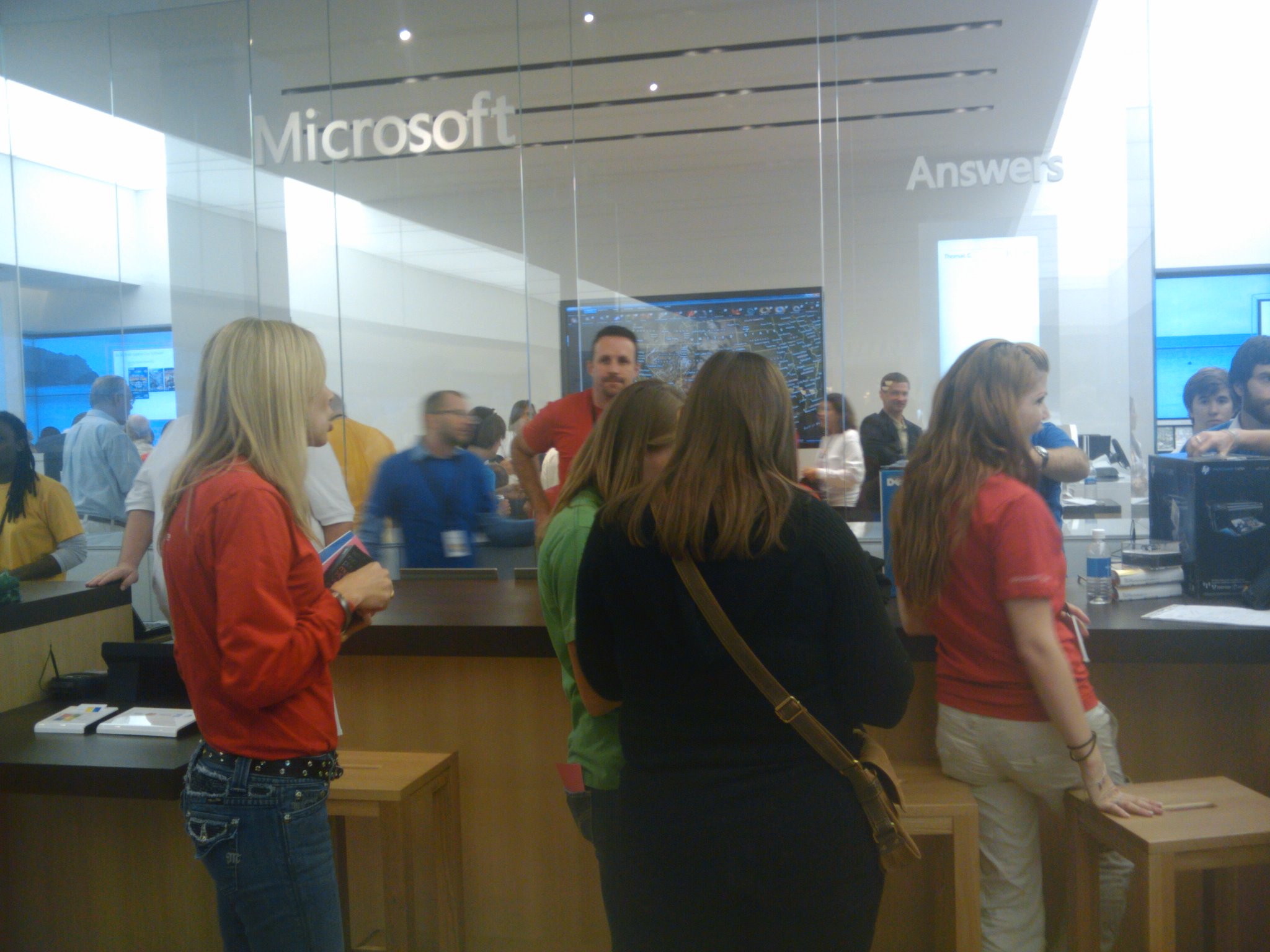
First off, although I am sure the MS guys wince every-time someone compares this store to an Apple store, it is a natural thing to do.  I found a lot of similarities.  The store layout was almost identical, with tables displaying products, employees in different colored t-shirts, an "Answer Bar" in the back, and sleek/modern design.  To be clear, on first impressions, this really felt a lot like an Apple Store.

Answers Bar

But digging a little deeper, there were some really cool things.  The first cool thing about the store, is there was a ribbon of video screens completely surrounding the top of the store.  When I was there, some were being used to play XBox, some were displaying static info about products, and some had general news info.  In videos I have seen (like the engadget one: http://www.engadget.com/2009/10/22/microsoft-store-opens-to-scottsdale-campers-video/ )  you can really see how they leverage these screens to change the atmosphere of the store.

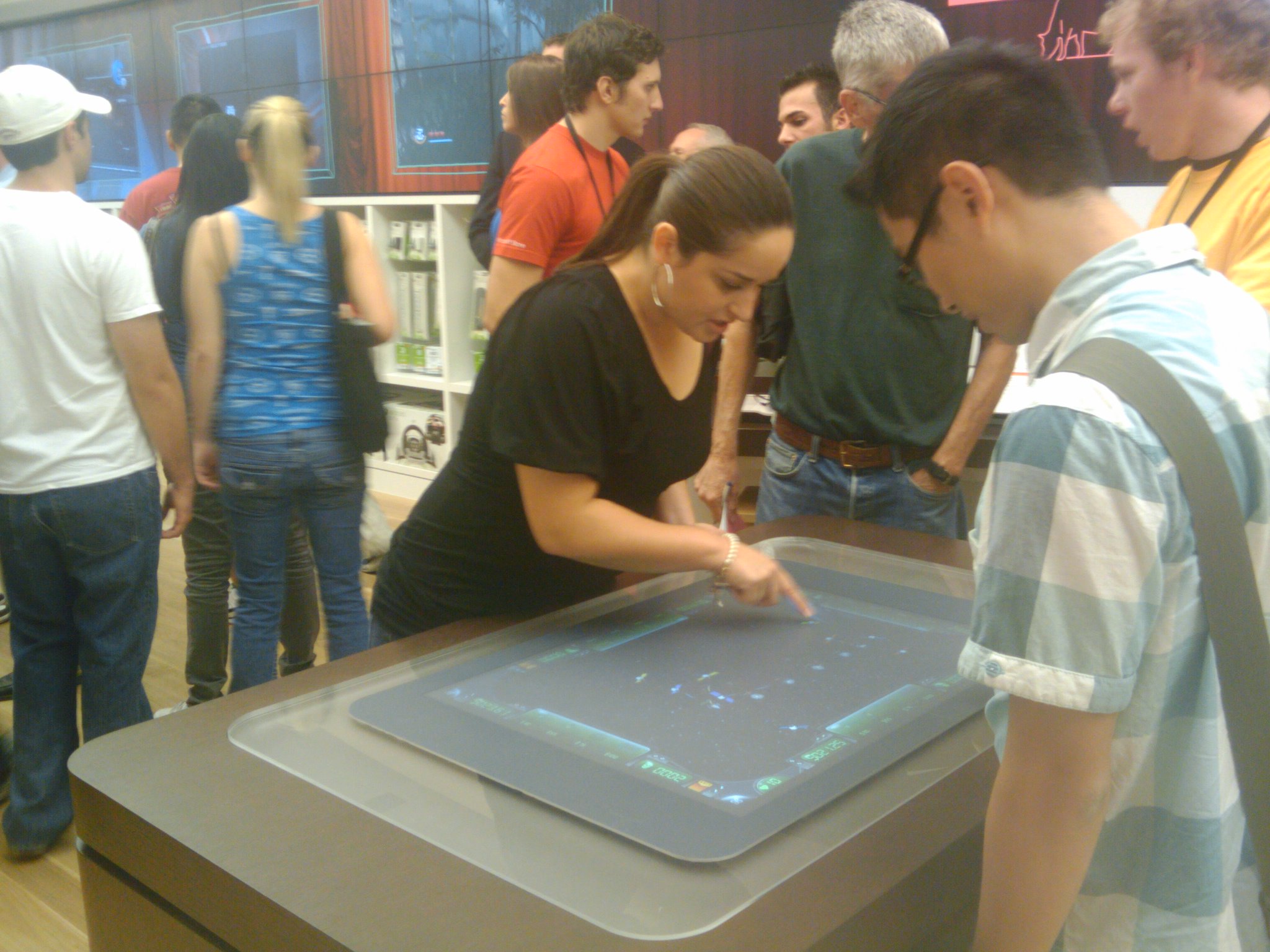
Otherwise, as expected, they had a bunch of  "Surface" machines setup.  They were wide open (ie. there wasn't a employee monitoring them or anything), so people could pretty much play with them freely.  I didn't have a chance to play with them today, but this was the first time I have seen one in person, and it was really cool.  I look forward to getting back there (when it is less busy, and a little easier to get my hands on the demos).  They also had a lot of Zune's setup throughout the store (this is the first time I got my hands on one, and I was impressed, it is a nice little device).

People playing with Surface (there were at least 2 others to play with too).

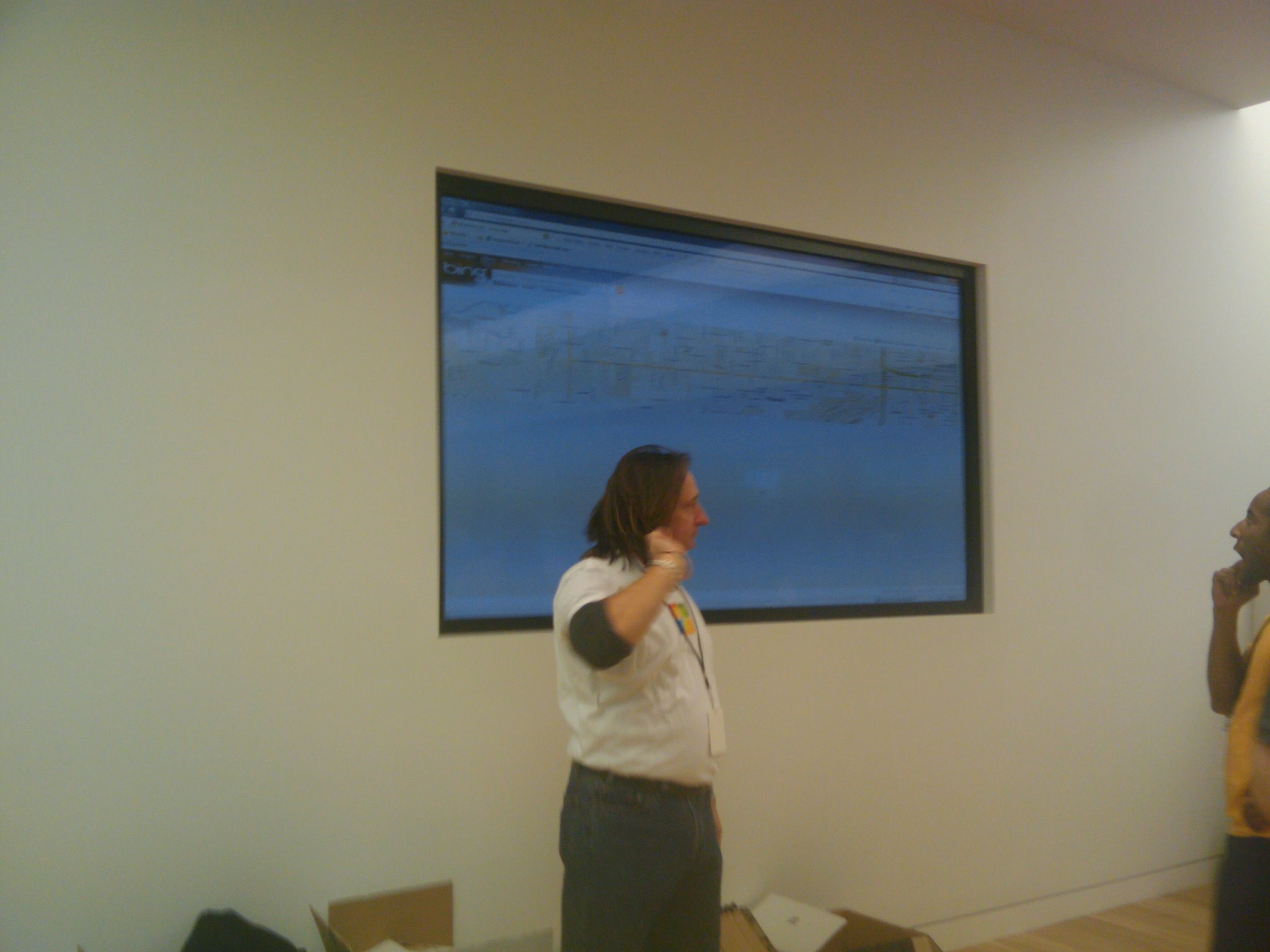
Something really cool, that wasn't getting much attention (but should have) was the giant touch screen in the back of the store.  It was being used to display a map, and I am pretty sure it wasn't open for public use.  It was multitouch ( I definitely witnessed someone pinching to zoom).  Bottom line, this was a huge screen, and adding touch technology to it, was something I haven't seen before (and something pretty rare).  I am sure there is a lot they can do with this, once they get settled in.

Giant Touchscreen (sorry about the guy picking his ear)

Otherwise, the product selection was interesting.  If I was in the market for a new computer, I would most definitely make this a stop in my shopping tour.  They had computers from Dell, Sony, and HP (maybe more, those are the ones I saw for sure).  They had all the latest models (probably due to the fact that the store just opened).

They were promoting the store by offering free tickets to a concert by "Ashley Tisdale" (from High School Musical I guess).  The tickets were limited to the first 1000 people in the store.  I was there 3 hours after opening (and there were a ton of people at the store), and there were still tickets available.  I am thinking that a lot of people didn't take the tickets (I certainly didn't - I did get a free Bing t-shirt though).  My guess is MS missed the boat, and didn't quite figure out their target market.

Bottom line, I was actually impressed with this store.  It represents the Microsoft product line really well, and is a well stocked "Adult Tech Toy Store".    I look forward to going back soon, when there are fewer crowds, and playing around more.