Converting your Android App to Jetpack

This Post was originally published to Medium on Nov 27, 2018 · 7 min read

Converting your Android App to Jetpack

Google has rebranded their support libraries to be named Jetpack (aka AndroidX). Developers will need to make changes to account for this.

This article will explain what this means, and how to get started converting your project to use the new components.

Jetpack to the future

What is Jetpack?

Android Jetpack is a set of libraries, tools and architectural guidance that is designed to make it easy to build Android apps. It is intended to provide common infrastructure code so the developer can focus on writing things that make an app unique.

It is a large scope effort to improve developer experience and collect useful tools and frameworks into a cohesive unit.

This quote from Alan Viverette (Android Framework team) is a good summary:

“Jetpack is a larger-scoped effort to improve developer experience, but AndroidX forms the technical foundation. From a technical perspective, it’s still the same libraries you’d have seen under Support Library and Architecture Components.”

Why?

Why is Google going through all this trouble (and creating all this trouble for developers)?

  • Create a consistent namespace (androidx.*) for the support libraries

  • Support better semantic versioning for the artifacts (starting with 1.0.0). This enables them to be updated independently.

  • Create a common umbrella to develop all support components under.

It is important to mention — this current version of AppCompat(v28.x) is the final release. The next versions of this code will use Jetpack exclusively. It is imperative that developers are aware, and make the switch early.

This quote from Alan Viverette sums this up nicely:

“There won’t be a 29.0.0, so Android Q APIs will only be in AndroidX”

What is in Jetpack?

The answer: everything.

Jetpack is a collection of many of the existing libraries we have been using forever (like AppCompat, Permissions, Notifications or Transitions) and the newer Architecture Components that were introduced in recent years (like LiveData, Room, WorkManager or ViewModel).

Developers can expect the same benefits they got from AppCompat, including backward compatibility and release cycles that aren’t dependent on manufacturer OS updates.

Jetpack Components

Do you have to upgrade now? Can you update only parts of your code?

You don’t have to update today, but you will have to update sometime in the near future.

The current version of AppCompat (v28.x) is exactly the same as AndroidX (v1.x). In fact, the AppCompat libraries are machine generated by changing maven coordinates and package names of the AndroidX codebase.

For example, the old coordinate and packages were:

implementation “com.android.support:appcompat-v7:28.0.0"import android.support.v4.widget.DrawerLayout

and are now:

implementation 'androidx.appcompat:appcompat:1.0.2'import androidx.drawerlayout.widget.DrawerLayout

It is important to note, you cannot mix AppCompat and Jetpack in the same project. You must convert everything to use Jetpack if you want to upgrade.

First Step — Upgrade your app to latest Support libs

When you are ready to update to Jetpack, make sure your app is upgraded to the latest versions of Gradle and AppCompat. This will ensure the refactor is only changing package names, and are not bigger issues related to library updates.

Updating your project is super important, and will expose any issues you will have with moving forward, such as a lingering dependency on an older version of a library. If you aren’t able to update to the latest versions, you will need to fix those issues before proceeding.

Don’t forget to check: https://maven.google.com for the latest Gradle dependency info.

Use the Refactor tool to update your Project

Once you have upgraded your project, you will use an Android Studio (AS) utility to do the refactor.

Run it from the menu: Refactor\Refactor to AndroidX:

jetpack3.png

Android Studio AndroidX refactor tool

This tool will scan your app, and show you a preview of the changes necessary:

jetppack4.png

If you are happy with the changes, select the “Do Refactor” button, and the conversion tool will do the following 3 things:

  • Update your imports to reflect the new package names:

Only the package names changed, everything else is exactly the same

  • Update the Gradle coordinates of your dependencies

jetpack6.png

Note: I replaced “compile” with “implementation” manually, the tool didn’t do that part

  • Add 2 flags to your gradle.properties file. The first flag tells the Android Plugin to use AndroidX packages instead of AppCompat, and the second flag will enable the Jetifier, which is a tool to help with using external libraries (see next section for details):

android.useAndroidX=trueandroid.enableJetifier=true

In general, the changes should be isolated to just these 3 areas, but in my experience, I have seen the refactor tool also make other changes. In my case, the tool added code to account for Kotlin Nullability (it added a few !! in my source code), but there likely will be other changes. It is a really good idea to closely monitor all the changes the tool makes, and ensure you are comfortable with them.

Jetifier

The AS refactor tool only makes changes to the source code in your project. It doesn’t make any changes to libraries or external dependencies.

For this, Google has created a tool named Jetifier that is designed to automatically convert transitive dependencies to use AndroidX libraries at build time. If we didn’t have this tool, we would need to wait for every 3rd party lib to update, before we could use it (and delay our update until this was ready).

Other than enabling this tool using the gradle flag, there isn’t much to know about using it, since this is an automated process, and no configuration is required.

Google recently announced a stand-alone option for running Jetifier. You can even run a “reverse mode” which will “de-jetify” code (which will be very useful for debugging).

Problems you may encounter

You may discover a 3rd party library that needs to be updated. For example, someone discovered the current version of SqlDelight required an old version of the Room persistence library. They requested an update, and Square has already provided the updated version of the lib. If you discover an issue, the sooner you can request an update from the developer the better. The newest version of Room (v2.1) already requires AndroidX, which likely will cause many folks to upgrade. As of this writing, the Facebook SDK is not updated, and this likely will be a blocker for many people.

Updating your project to the latest versions of AppCompat may not be trivial. You may have workarounds in your code for previous bugs or encounter upgrades that require significant re-work. Plan ahead to account for this work.

Source files are not modified by Jetifier, so this may be confusing when using documentation.

You can’t Jetify by Module, so this is an “all or nothing” operation on your codebase. This may require blocking ongoing development until this is resolved — otherwise you probably will encounter huge merge nightmares.

The mapping tool may insert alpha dependencies into your code (for example ConstraintLayout alpha is added).

Android Studio may not know about the Jetifier and display errors (red squigglies). Doing an Invalidate Cache and Restart should fix this.

Jetifier doesn’t modify generated code, which may require additional rework.

Some of the replacement names are not correctly mapped (these seem to be primarily from the design lib). The refactor tool won’t work for these cases, and your code won’t compile. To resolve these, you will need to manually resolve the imports. Hopefully, these issues will be minimized over time, as the tools mature and the bugs in the refactor tool are fixed.

Useful Hint
The standard naming convention for Jetpack is to duplicate the package name into Maven coordinates. In Jetpack, the package will always match the groupid.

For example, if you know the package name was `androidx.webkit` then the dependency will map to: `androidx.webkit:webkit:VERSION`.

Summary

Plan ahead for the changes required by the migration to Jetpack, which will be required moving forward. The hardest part of the upgrade will likely be updating your project to the latest dependencies.

There are likely 3rd party libraries that haven’t been updated yet. It is important to identify these early and ask the developer to update them.

Resources

Full mapping of the old class names to the new ones, which can be useful if you have issues with the automated refactoring, or need to figure out a specific change.

Great article from Dan Lew, highlighting his experiences (and issues encountered) refactoring his project.

Introduction to Jetpack Blog Post from Android Developers.

Thanks to Elliot Mitchell for the proof-read, and inspiration!
Things to Do in Denver

My sister put together this great list of things to do in Denver, and I wanted to make sure I put it somewhere permanent.  These are all great suggestions.


places to eat that are out of  the ordinary: 

Rio - Great Patio and potent margaritas

Fresh Craft - fun menu with a wide varity of beers on tap, weekly changing craft cocktail menu

The Market - one of Denver's great coffee shops and deli's 

DuffyRoll - iconic sweet rolls 

Wynkoop Brewery - once owned by the current Governor of Colorado, great beer

Illegal Petes - Big Burritos ala some of your more well known... but the difference here is that they support local and touring musicians have a record label and are probably the nicest guys around... here is there current schedule for July events (there are several new stores open... colfax and race, broadway and alameda are great options too)

My Brother's Bar - you won't find a sign on the outside for this longstanding Denver institution but you can listen for the classical music playing and know you are in the right place.  There is a lot of history in the building ranging from Prohibition to the Beat writers.  

Osterio Marco - Frank Bonnano's italian eatery with pizza and salads on Larimer Square

Celtic Tavern - located in LoDo, standard pub fare with off track betting 

Los Chingones - mexican bistro and cantina off Broadway and Larimer 

Snooze an a.m. eatery  - located on Larimer and 27th / Union Station - long waits for delicious pancakes and breakfast.  They are very popular

Crave Burgers - HUGE burgers with wacky toppings but delicious to share

Eculid Hall - beer hall and dining in a long time Denver Historic Building. One of Denver's premier chefs is partner in the restaurant along with Rioja, Bisto Vendome that are also in the area.

Larimer Square: home of lots of dining and drinking and shopping options

Sushi Sasa - top rated and a local favorite they sometimes have karoake in the basement but usually it's reservable for large parties. 

SushiRama - conveyor belt sushi from one of Denver's top rated sushi chefs


places to eat and drink in the Highlands neighborhood

Postino - a favorite place opened recently from a team in Arizona.  Great bruschetta, sandwhiches, salads and very nicely curated wine selection

linger - one of the area's more popular restaurants housed in one of Denver's oldest mortuary buildings... the design honors that history but the food is top of the line... very popular

Avanti - this is an incubator space for up and coming restaurants, chefs and concepts - designed in shipping containers - - summer menu

Little Man Icecream - - look for the giant milk can


places to drink:

Cruise Room in the Oxford hotel - modeled after a bar that was in theQueen Mary ..very small intimate and known for their cocktails

Williams and Graham - Denvers top rated small table speak easy... there will be a wait for sure... - out of the way but world renowned (31st and Tejon - LoHi)

Green Russel - Larimer Square... no more than groups of six but they infuse their own bitters, sodas, and are tops in the mixology scene right now. Busy but classy... 

Union Station and Terminal Bar - Denver's rail station is reinvigorated into a hotel space, restauarant hub and open space.  Mercantile is a great place for breakfast and there is a Snooze in the building (long waits for pancakes.... but fancy and delicious pancakes)

Ophelias Electric Soapbox - Contemporary Space in an old brothel and adult bookstore. Make sure to look around...They have live music and a great bar program. Food vears to vegetarian side of the spectrum and is very highly rated... if you are just drinking the bar is cool, if you wish to eat make sure to ask for a table or you will get a small cocktail area for your food which may be awkward. Let them know upfront and they will try to accommodate

Marios Double Daughters Salotto - a funky bar based on a story... ecclictic atmosphere and drink menus... goth nights and comedy nights sometimes thrown in the mix through the week... if you get hungry you can get a slice of pizza at Marios Two Fisted Pizza right next door (until late in the evening/morning)


Bars and Music Venues on South Broadway (a 5 minute cab ride... uber and lyft will also know where to take you)


Adrift on South Broadway - tiki Polynesian style bar

Illegal Petes just a little bit further down the block)

Punch Bowl Social - bowling, drinking, dining, ping pong... cornhole... drinking... it's really got it all.

3 Kings Tavern - punk rock and pinball ... owned by the nicest guys in Denver... we love this place... lots of beers on tap

Hi Dive small intimate rollicking music club that has been on the scene since the early 2000's (in the late 90s it was a punk rock club then a hippie jam band joint... finally resting on national up and coming bands looking to build a dedicated following... The Fray and Nathaniel Ratelieff all got their start here.... ) a great place to see live music... next door is a small hip restaurant called Sputnick that has a great bar menu. Friday and Saturday nights are the big nights for the venue.


Breweries with tap rooms or beer or cocktail 'centric places

Falling Rock Tap House - ok not a brewery but a tap house with LOTs of beers on tap (still considered a hidden gem) (ugh... autostart music beware)

Breckingridge Brewery - now corporate owned but a stalwort of the denver brew scene

The Rackhouse: big establishment newly built home of the brewery for C Squared Ciders

Rheinhaus - Bocce ball, brats and beers - newer place opened up on Blake. Really great food.  

Note too that the Denver Brewery Guide has an exceptional list to peruse for options too... Beer can be a very personal endevour so best to check out the list to decide which to go to.


Drinking places on Market that are very popular

Viewhouse

Cowboy Bar/Tavern Downtown 

Lodos


Places to Play

Lucky Strike - bowling at the Denver Pavillions

Comedy Works - Larimer Square and the Denver Tech Center - national touring comedy acts with local openers

Coyote Ugly  - just like the movie but no Tyra Banks


Art and Culture

Museum of Contemporary Art Denver - smaller museum with quarterly rotating exhibits that will make you think. They have a small cafe' on the third floor with amazing views of Downtown and the Front Range

Denver Art Museum - Denver is becoming a world class art space and our museum covers two large buildings with many levels of all types of art.  Final Fridays host a evening event around a theme called Untitled that is great fun.  

Colorado History Museum - newly built building housing all things Colorado with a little dash of National History as well....fun current exhibit through January 8 2017 is "Awkward Family Photos" 


Place to hear music

El Chapultapec - once the grande dame of the Colorado Jazz scene.. a little weathered but there are musicians in there every night

Herb's Hideout - classic and divey of a divebar... live music most nights

Dazzle - denver's premier jazz supper club... music 7 nights a week with local and national acts - they are a listening room in the main room so shhhhh... but the bar can get rollicking (a short uber/lyft away from downtown)

Nocturne- local and national acts with a focus on a themed menu around a jazz musician... talking is allowed

Larimer Lounge - Denver's great rock and roll room... national touring acts playing a small venue

Meadowlark - tiny subterranean room... intimate but great local acts are usually booked there... Monday night open Jazz mic (they have a cafe upstairs that is known for their vegan fare)

Summit Music Hall - large touring acts come through this venue, rollicking rock and roll or punk rock mostly

Marquis - smaller national touring acts come through this venue... more all ages and punk rock shows, but not always... great by the slice pizza open late


Places to Shop:

Pavillions - national retailers with some small local stores, dining and movies are also available

Tattered Cover - bookstore (not as great as she used to be, it's only one floor now but they have a VERY diverse magazine selection)

Rockmount - home of the original western snap shirt... pricey but a peice of nostalgia and long wearing

Mutiny Information Cafe - located on South Broadway (and open late) it's a local used bookstore, used records, comic books, community space and coffee shop. They by far have the coolest art and comic books available in the local area, friends of ours own it and it is amazing. They have national music acts that will come in and play, spoken word and comedy too... it's really amazing.


Places to Dance:

the Church

Vinyl

Beta (edm powerhouse.... guys who own it have their own label)


Places to sing Karaoke:

Armidas - down the block from Dazzle

Punch Bowl Social (private karoake rooms) - very popular dining and drinking establishment on South Broadway


Events around Denver that are happening around that time: 


Robot Revolution - at the Denver Museum of Nature and Science

Sweet and Lucky - (a fully immersive and interactive theater production taking place at a wearhouse about 15 minutes out of downtown) only in the evening

Historic Denver Walking Tours - sponsored by the Colorado History Museum

Cirque du Soleil - Toruk the First Flight - based on Avatar in the Pepsi Center Parking Lot

Afternoon High Tea at the Brown Palace (reservations required through Open Table)


9 things I learned at Google IO 2014

I am giving an "Google IO Recap" talk at the Phoenix Mobile Meetup this week, and needed to organize some information about the conference.  I have highlighted some of the most interesting things I saw, and included links to resources where you can learn more.

IO is a whirlwind of activity.  It was nice to spend some time organizing my thoughts and reflecting on a great week.

Here are the things I learned:

  1. Google Developers are Awesome
  2. Android is Big

  3. L is for Lovers

  4. Material is beautiful

  5. "Users are living in a multi-screen world"

  6. Android Studio is in Beta

  7. Cardboard is surprising

  8. IO is fun

  9. I could do this every day

#1 - Google Developers are Awesome

I already knew this, but it was fun to be reminded. 

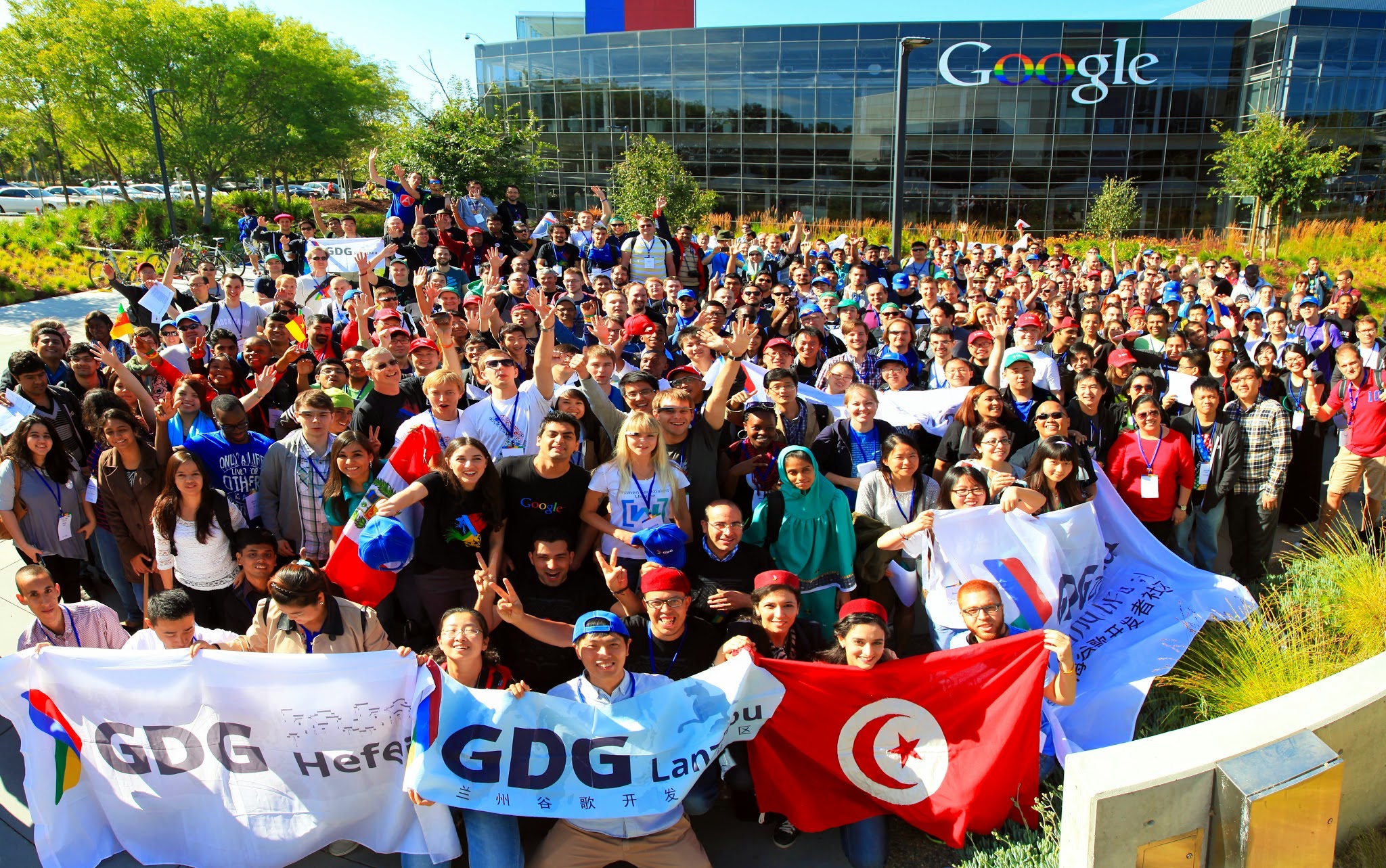
The GDG (Google Developer Group) is Huge

It is always a highlight to spend some time before the conference with other GDG Organizers at the annual world-wide summit held on the Googleplex in Mountain View.

I have been involved in the GDG for many years, and each year, we gather for a pre-IO summit at the Googleplex.  It is always a highlight of the trip, and so much fun to interact with organizers from all over the world (there are representatives from hundreds of different countries).

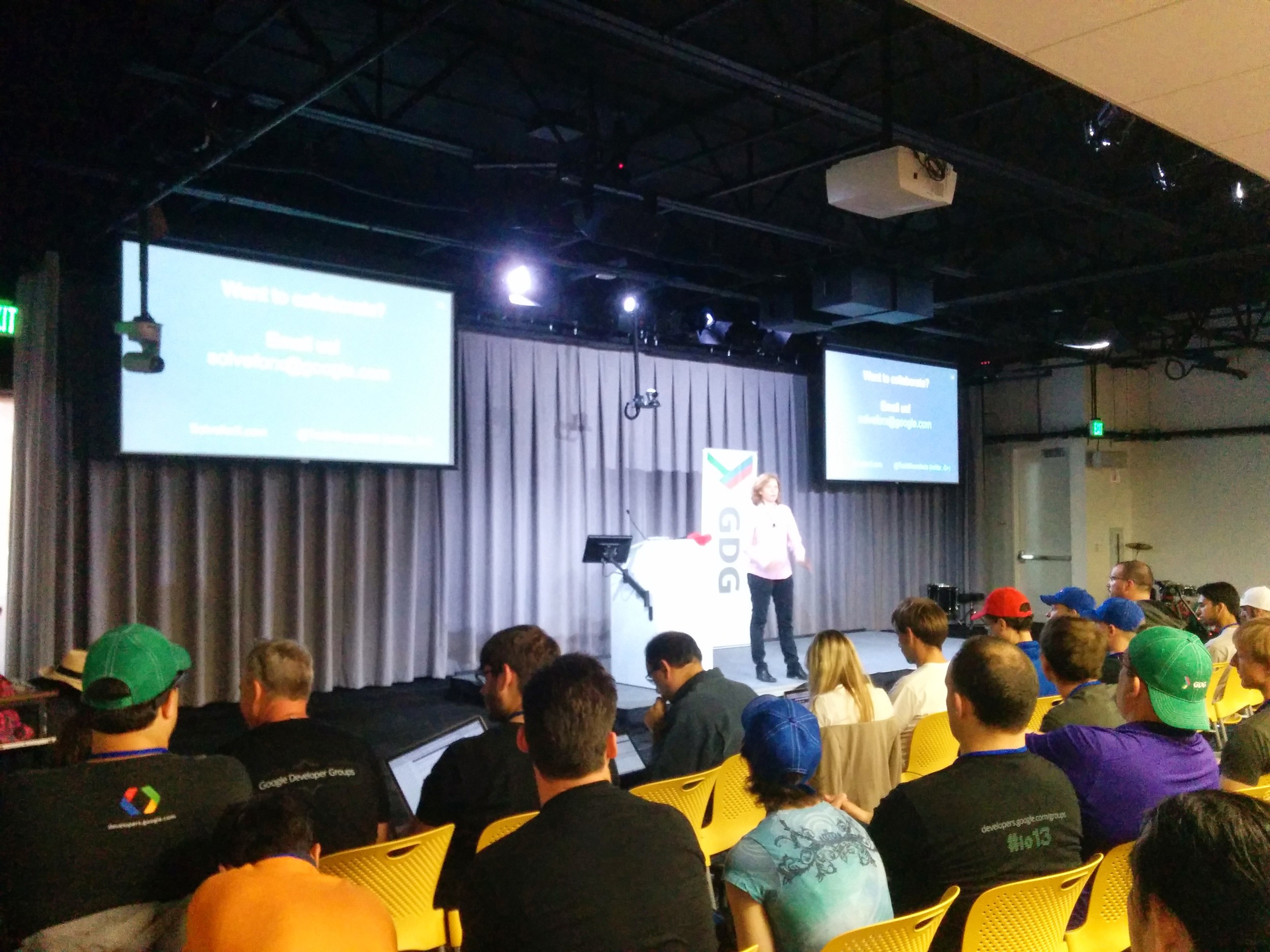
This year, the pre-IO summit was huge. There were so many people, that it was hard to miss how large the program is becoming.   It is great to see this valuable program growing.  Kudos to the organizers of the summit for keeping the group focused - it is not easy to keep such a large group of individuals on track. 

Have you joined your local GDG  yet?!  Pretty likely you will be able to find a group in your area.

Diversity is welcome

The ticket lottery system was so much better this year, and it seemed to be reflected in the diversity of people in attendance.  They announced that female attendance was up to 20% from 8% last year.  It  seemed like there were more international attendees this year as well (although I don't have stats to back that up).


#2 - Android is Big

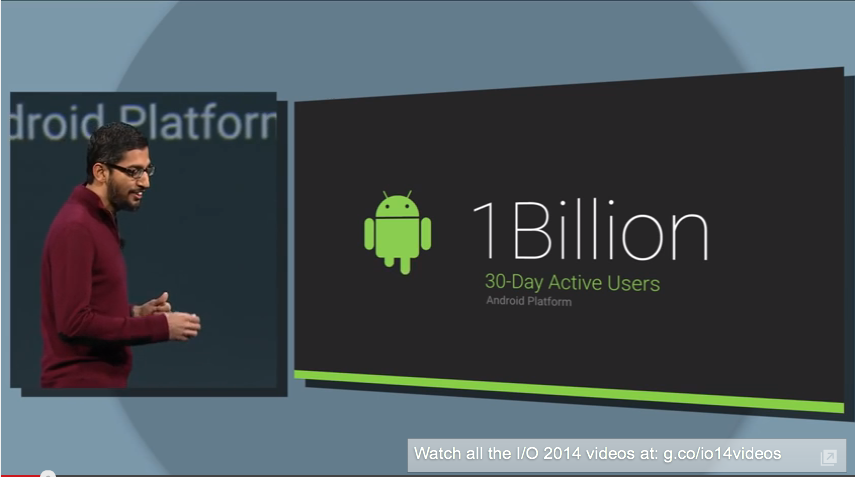
1 Billion - 30 Day Active Users

This is a new metric they were touting during the keynote (they previously used numbers related to installations).  Statistics can tell whatever story you want.  This is an exciting one:

  • There are a lot of people actually using Android
  • Sundar Pichai said "We are working on the next 5 Billion"
 -20B Text Messages-93M Selfies-1.5T Steps-100B Phones checked per day (* more on this later)


-20B Text Messages

-93M Selfies

-1.5T Steps

-100B Phones checked per day (* more on this later)

What is next for Android

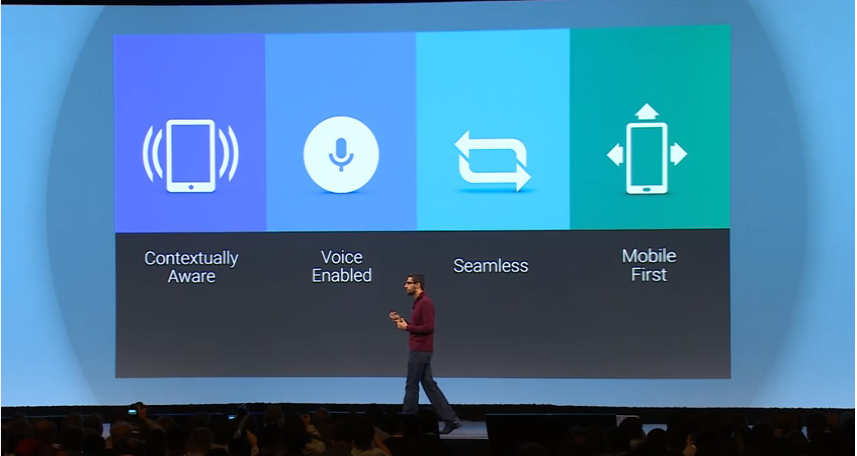
During the keynote Sundar Pachai specifically called out the following areas where Android is going.  These make sense, and are consistent with the other announcements. 

  • Context Aware
  • Voice interactions
  • Seemless transitions between devices
  • Mobile 1st

#3 - L is for Lovers

L Developer Preview

For the first time ever, that the SDK was released early for developers.  They didn't commit to a production release date (just "in the fall").  I expect new 'L' devices in time for the holidays.

Using the name 'L' sounds very unfinished to me.  I am sure there was much debate about what to call this (and begin the speculation now about what it will be called - Lollypop? Licorice? Lemondrop?).  This is a developer release - I need to get used to it being not done (or named).

Factory images, SDK Downloads, and information available here

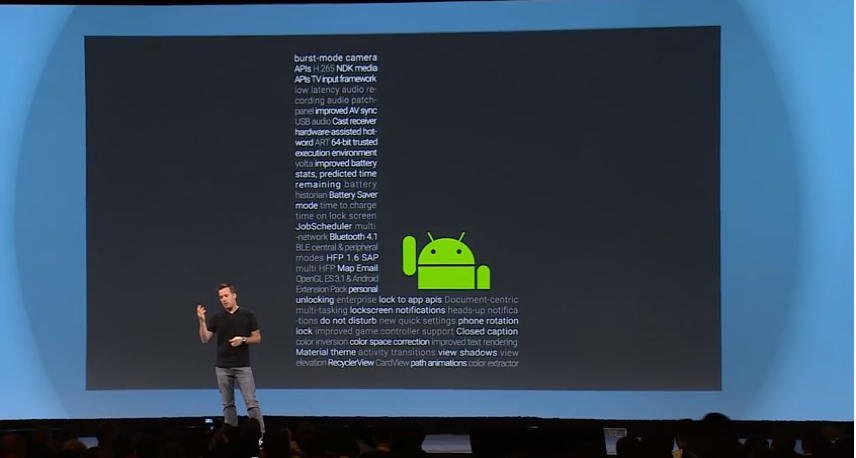
There is a lot in the L release ("our biggest release in years").  I couldn't possibly list all the differences, but Android Police can, and did in their 'All The Things (Android L)' post.

A few of the announced updates I find particularly interesting:

  • Cloud Save - APIs to easily store data across devices
  • Camera APIs - allows access to all settings
  • Job Scheduler - schedule tasks to happen at certain times
  • Enterprise Security - integration of Samsungs Knox being a big piece of this

You can't spell Performance without L

I was never really good at spelling.  You get the idea.

A big part of the L release will be performance improvements and enhancements.  In general, this really shouldn't effect most developers, so it great news - improved performance, and no code changes.

  • The ART run-time will replace Dalvik
    • Mix of AOT, JIT, and interpreted compilation
    • Cross platform (MIPS, x86, AMD)
    • Updates to garbage collection (to reduce duration and frequency of pause events)
  • Support for 64 bit OS
  • GPU improvements (which will be needed with all the 'Material' animations)
  • All new Battery profiling framework - Project Volta
Screen Shot 2014-07-10 at 4.09.04 PM.png

#4 - Material is beautiful

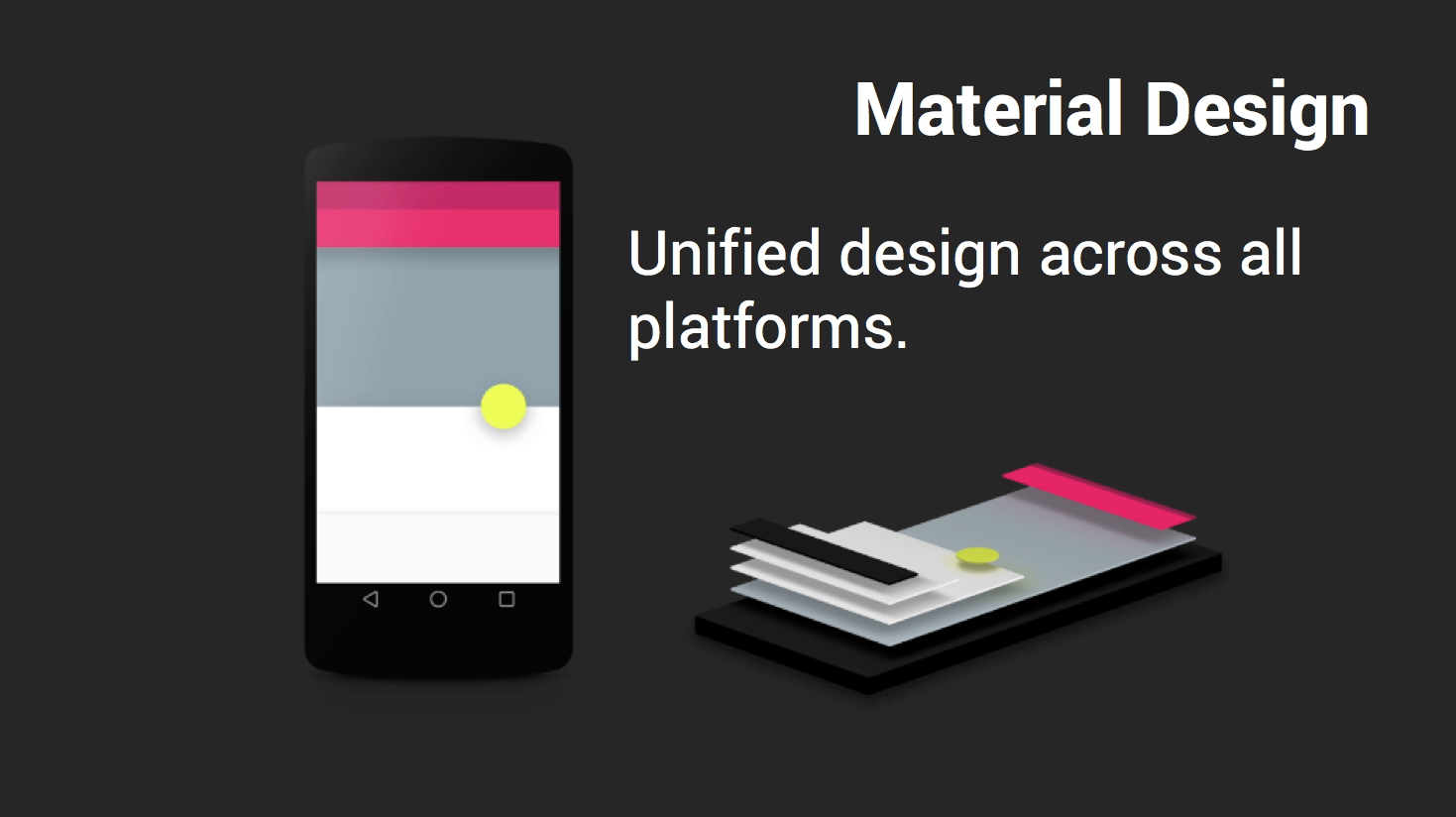
A new design language for Android and the Web was introduced.  This was a big deal, and likely one of the bigger announcements at IO.  This is clearly something they spent a lot of time on, and hope to get developers interested in.  This is not a return to skeuomorphism, but a new design language focusing on using views to represent real items in space.  The demos make it look really great.

Developers can now specify an elevation value, and the framework will apply lighting and shadowing automatically.  So, in addition to positioning your element along the X and Y axis' you can also specify a Z value. 

There are lots of nuanced details, and an entire aesthetic around the new 'Material':

  • Objects are reshaped and morph into different objects
  • Views and Buttons have live shading and lighting (elevation)
  • Animated transitions between Views and Activities
  • Animations on touch feedback
  • Color and styling can be applied to system elements


The design reel illustrates the concepts pretty well (and has a pretty snappy soundtrack)


If you would like to learn more about the concepts behind the design, and understand the motivations behind their choices, watch the IO session Material Design: Structure and Components  (presented by Rich Fulcher and other members of the design team).  It does a great job of describing each concept of the new design (elevation, Activity transitions, FAB - Featured Action Button, grid usage, and much more).

Want to learn about developing for Material on Android?  Chet Haase and  Romain Guy (whose presentations are always entertaining and informative) did a great talk titled: "Material witness: How Android material applications work"

The Web has Material Too

The new design metaphor is intended to span across all Google properties, and into the web.  It is clear that this design is intended to unify Google products across all mediums. 

There was quite a bit of time spent during the keynote, and during some the sessions describing how the 'Material Design' metaphor will work in the web.  It is clear this is they intend to use for all their products internally, and they are hoping the development community will use them too.

The Polymer website, is implemented in Material design and has some great examples of the interactive elements in use.  It is a great showcase for the design metaphor, and of course a great resource for details on how to actually use them on your own websites.

"Between the L Preview, and Polymer, you can bring the same rich, fluid material design to every screen" - Matias Duarte

#5 "Users are living in a multi-screen world"

The quote above is from Sundar Pichai during the keynote.  This clearly states that Android wants to be on all your screens.  The promise is that developers will be able to use the same code, with minor modifications to target them all (a single APK should work in each of these environments).

Remote devices are just display screens - the Android device is still the hub, and the main computation/communication resource.

  • Android Wear - Watches AND Glass
  • Android Auto - Automobiles
  • Android TV - Televisions

Android Wear

It was not a surprise when they announced their next entry into the wearable space - a wristwatch.

Each developer in attendance was given the promise of a Moto 360 (to be shipped at a later date), and the choice between 2 watches which are available now.  Both of these watches are currently available for purchase to the public:

  • Samsung Gear Live ($199 USD)
    • Pros - prettier design (if the curved shape fits your wrist), has a heart-rate monitor (which only works when you are basically motionless)
    • Cons - potential design flaw in charger
  • LG G Watch ($229 USD)
    • Pros - dock design for charger
    • Cons - pretty simple design; slightly higher price

Between the 2, I would have to recommend the LG.  Both devices are pretty similar, particularly regarding overall experience (it is worth noting, that Google is not letting manufactures skin these devices, or any of their new Android screens).

Two good reviews (with purchase advice):

Developer resources

The development for Android Wear has been pretty active so far.

There are a ton of great resources for creating apps which have all been compiled into a single post.  It contains links to information on design, development, testing and deployment for Wear apps, and is available on G+ here: 'Wearables at Google IO'

Android Auto

This wasn't a big surprise, but they did announce their new extensions targeting the automobile platform.  They announced 40 new members to the "Open Automotive Alliance" group, and that cars with this technology will be shipping before the end of the year.

The Android Auto screen itself will not do much (your phone is required to be plugged into USB for everything to work), so this minimizes worries about device obsolescence (which is a concern when the device is mounted inside your dashboard).

They will focus on three types of Apps:

  • Messaging
  • Audio
  • Navigation (* it wasn't clear if this category was available to 3rd party devs)
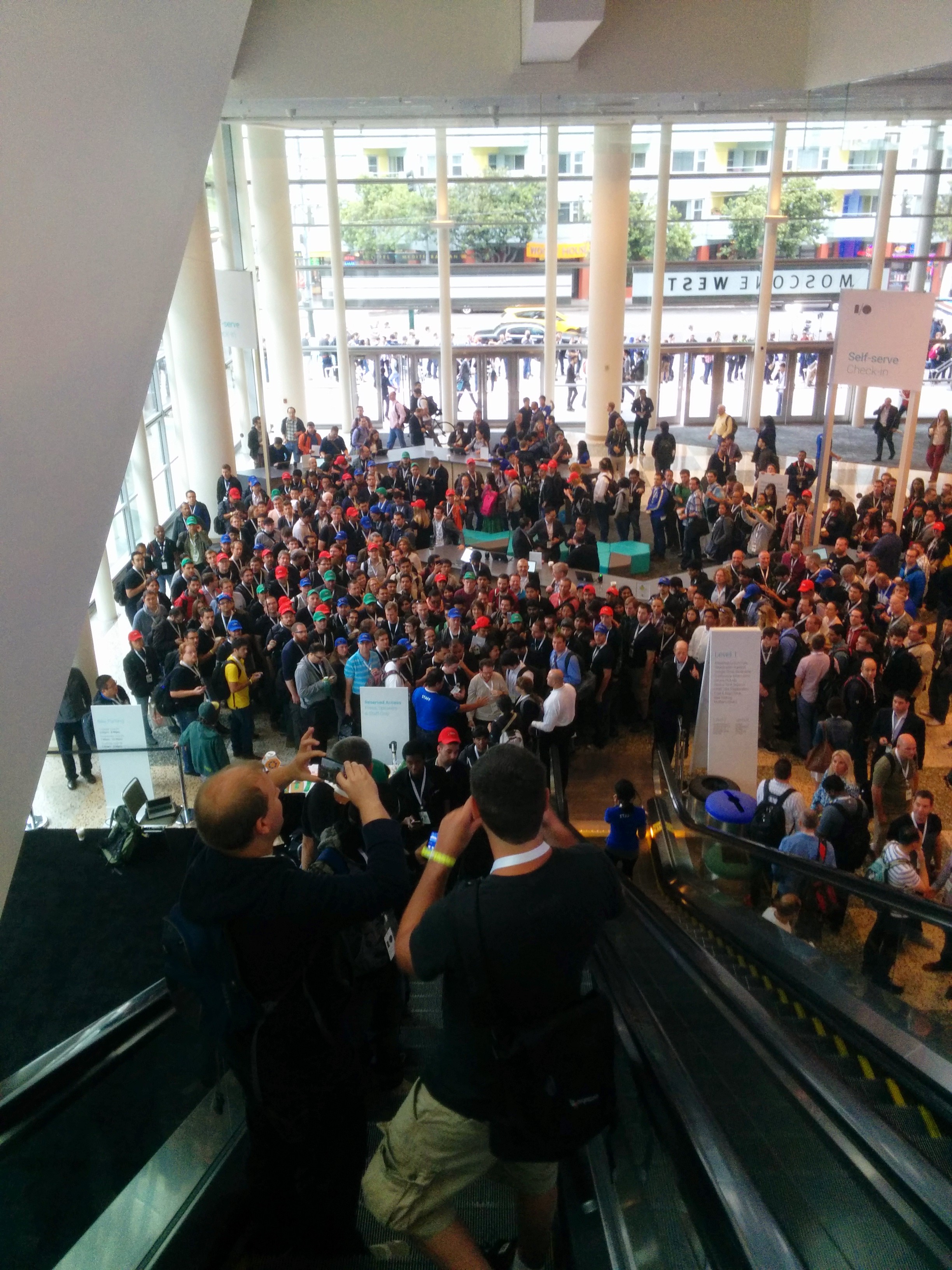
There were huge lines (as seen in the background) for the opportunity to sit in the demo cars.  They were taking appointments to wait in line to sit in the car - and I opted to use my time in other pursuits (will have to order a new Audi or Mer…

There were huge lines (as seen in the background) for the opportunity to sit in the demo cars.  They were taking appointments to wait in line to sit in the car - and I opted to use my time in other pursuits (will have to order a new Audi or Mercedes so I can try this).

Android TV

This is not a new platform, but yet another extension of the Android ecosystem.  The promise is that developers can easily extend their existing apps using the standard SDK, and won't need to make changes specific to support TV.

A new ‘leanback’ support library that will allow developers to design for simpler living room apps and console-style games. 

Some important things:

  • All next gen Phillips and Sony TVs will support Android TV (and other manufacturers)
  • No set-top devices announced (but hinted they will also be available)
  • Support for Gaming devices is built in (meaning gaming will be a focus)
  • Will support 'Googlecast' (this is the new name what a 'Chromecast' device does)
  • Content forward is the metaphor they are presenting

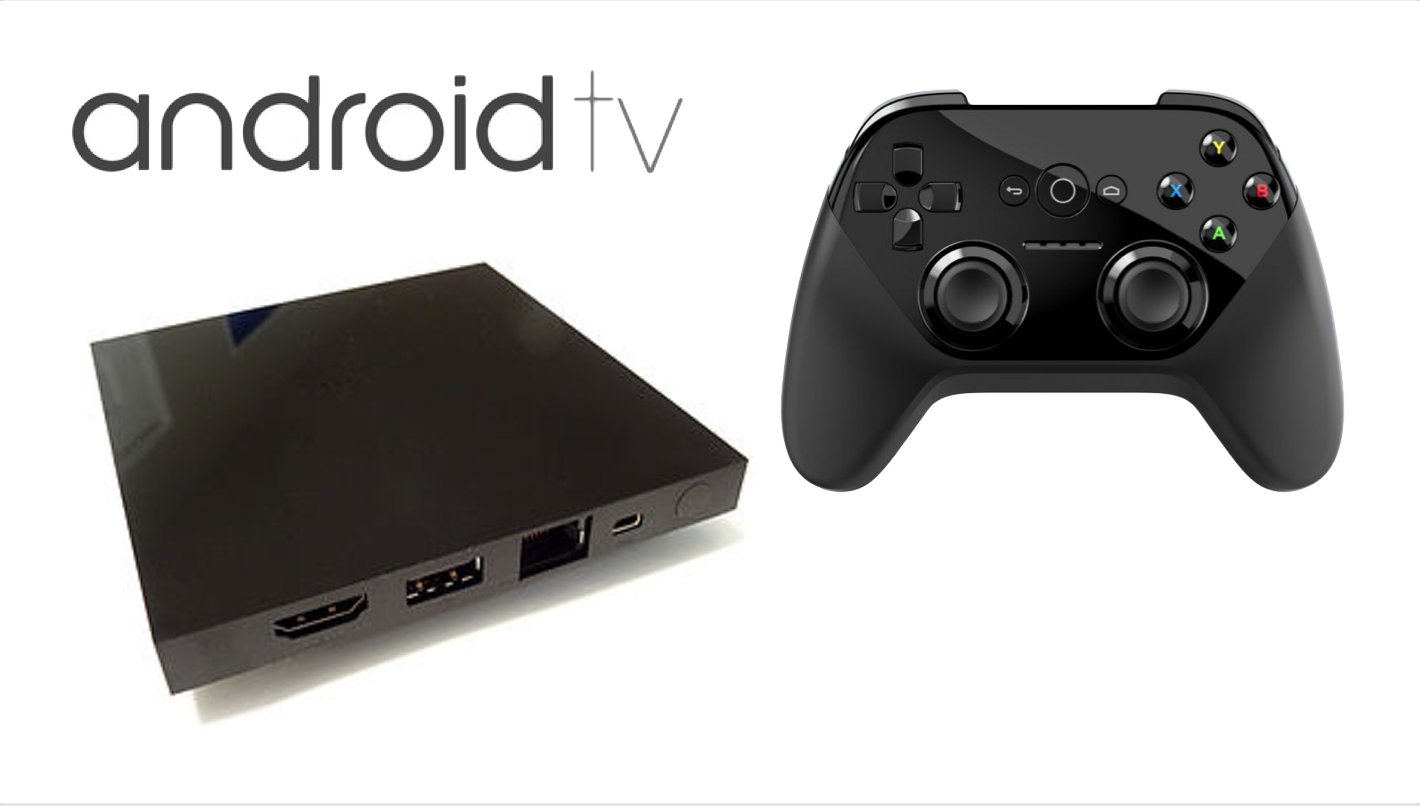
There is no consumer device available for purchase.  There was a developer device named ADT-1 given to each of the attendees who went the deep dive session.  If you weren't in that session (or at IO for that matter) they are making some additional devices available from the development website.  It is worth checking out if you have a great TV related app, and would like a device to test with.

There are many sources to learn more:

ADT-1 Device - comes with a game controller, and NOT a traditional remote

ADT-1 Device - comes with a game controller, and NOT a traditional remote


#6 - Android Studio is In Beta


Ittttttttt's Time!!!!!  I am not sure how excited I should really be about a product entering Beta, but it is a milestone - and a clear indication that it is time to switch from Eclipse.


There are lots of questions about which IDE to use for Android development.  While I think the answer still isn't crystal clear, I do think it's time to start using Android Studio.  The tools team considers moving to Beta a significant step, and are promising a more stable platform.  There will still be some hiccups for sure, but I think it is clear that most people need to start thinking about using Studio.

I personally have a great deal of experience with Eclipse (I did write a book on the subject), and would probably rather just stick with what I know.  However, it is clear that the path forward is Android Studio, so have started to make my transition.  It hasn't been a particularly smooth transition (insert joke about teaching an old dog new tricks).  I really have enjoyed the recent posts from Kirill Grouchnikov - as I know I am not alone in my challenges (maybe another old dog).

Donn Felker has some great resources about getting started with Android Studio, that I have found useful.

Screen Shot 2014-07-11 at 7.53.39 AM.png

#7 Cardboard is surprising

At the end of the keynote, during the giveaways, there was one last thing mentioned.  It wasa giveaway of something that a few Googlers worked on during their 20% time.  They didn't say exactly what it was, but it came in perforated cardboard container, and they would hand them out at the exits.

I was surprised to learn the container WAS the giveaway. 


When unfolded (and an compatible Android phone is added), the cardboard becomes a fully operational VR headset.  There is a magnet on the side that interacts with the phone to provide controls.


Not surprising (because this IS Google), the entire thing is open source, and there is an SDK.

It works surprisingly great, and out of the box (pun intended I guess), it does the following things:

  • Earth: Fly around 3D rendered landscapes in Google Earth (didn't work great for me).
  • Tour Guide:Look around different rooms at the Palace of Versailles as a local guide describes each one.
  • YouTube: Watch popular YouTube videos on a massive screen in a simulated theater.  Look around in 360 degrees to find other videos to watch.
  • Exhibit: Examine cultural artifacts from every angle. Currently there are a half-dozen African masks to examine.
  • Photo Sphere: Look around from inside the photo spheres you've captured.
  • Street Vue: Drive through Paris on a summer day.  Stop and look around.
  • Windy Day: Follow the story (and the hat) in this interactive animated short from Spotlight Stories (this is the same 3D interactive game first shown as a Easter egg on Moto X devices)

Side Note: Pretty sure the Googlers with 20% time were in Paris based on the demos ;-).

"Boxed" and assembled Google Cardboard

"Boxed" and assembled Google Cardboard


#8 IO is fun

The best part about this event, is the opportunity to network and talk with the most talented and passionate people in the world.  I am always energized by the great people I am encounter. 

Chance encounters happen

One of these chance meetings ended with the favorite piece of swag I took home from the conference.  By chance, I happened to be in the GDG lounge when the 'Maker Meetup' was happening.  There were not very many people in the meetup, so Martin Omander (being the consummate community builder he is) dragged me into the meeting to increase the numbers.  One of the makers (Ronald van der Lingen) was showing off his 3-D printed Google Glass case - and had extras he had already printed.  I really wanted a hard case for my Glass, but couldn't stomach the $80 they want for official one.  My new case is so much more awesome than anything I could have bought at a Glass store (super protective, smaller, and 'Made') .  Of course if you have a 3-D printer, the plans are available (published under Creative Commons) so you could create your own.


Android GDE Encounters

You never know who you will run into at the sessions.  I tended to sit front rows for most of the Android sessions, as did many of the other Android GDEs (I guess we are all cut from the same cloth in some ways).  There were a few chance encounters in these sessions, and it was quite fun.  This was my first year at IO as an Android GDE, so this was extra fun.

With Eyal Lezmy and Cyrril Mottier

With Eyal Lezmy and Cyrril Mottier

With Chiuki Chan - photo-bombed by some weirdo (Benjamin Weiss).

With Chiuki Chan - photo-bombed by some weirdo (Benjamin Weiss).

All About Android on the TWiT network

One of the biggest highlights of my IO week is being on the All About Android show (this is the 3rd year in a row I have been on the pre-IO show).

The studio in Petaluma, CA is a special place (it is a tech vortex of the world, with a very special energy and dynamic).   It is a cute town, and the studio is nice to visit. They welcome visitors to  watch many of their shows live.

The fun thing about doing the show on this particular night, is that all the hosts are live. Having 4 people live in studio, and around the same table creates a very fun dynamic.  We were pretty verbose (the show is pretty long, we talked for almost 2 hours).

I am thankful the TWiT guys continue to have me back, it is always a great experience for me.

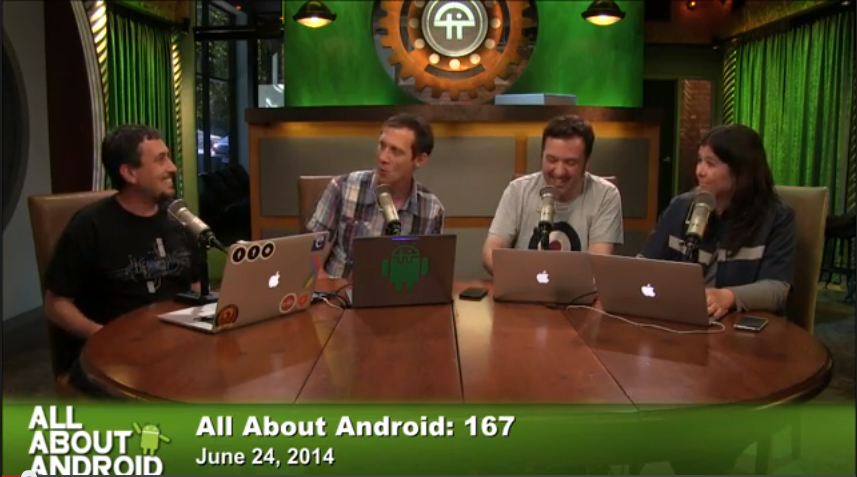
All About Android 167: Fast and hard - with hosts: Jason Howell, Ron Richards, Gina Trapani and Bryan Burnett

All About Android 167: Fast and hard - with hosts: Jason Howell, Ron Richards, Gina Trapani and Bryan Burnett

Parties

After Hours

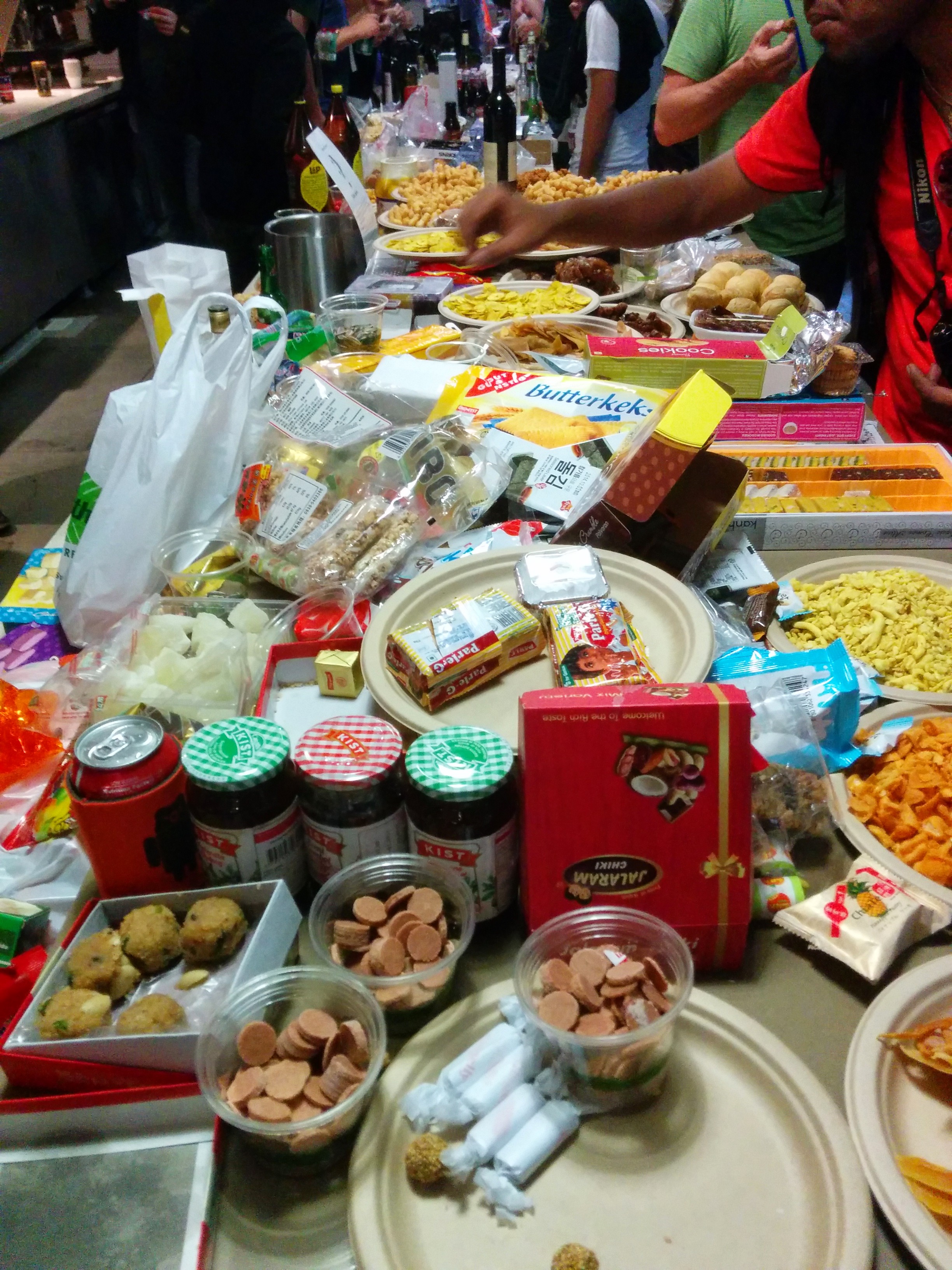
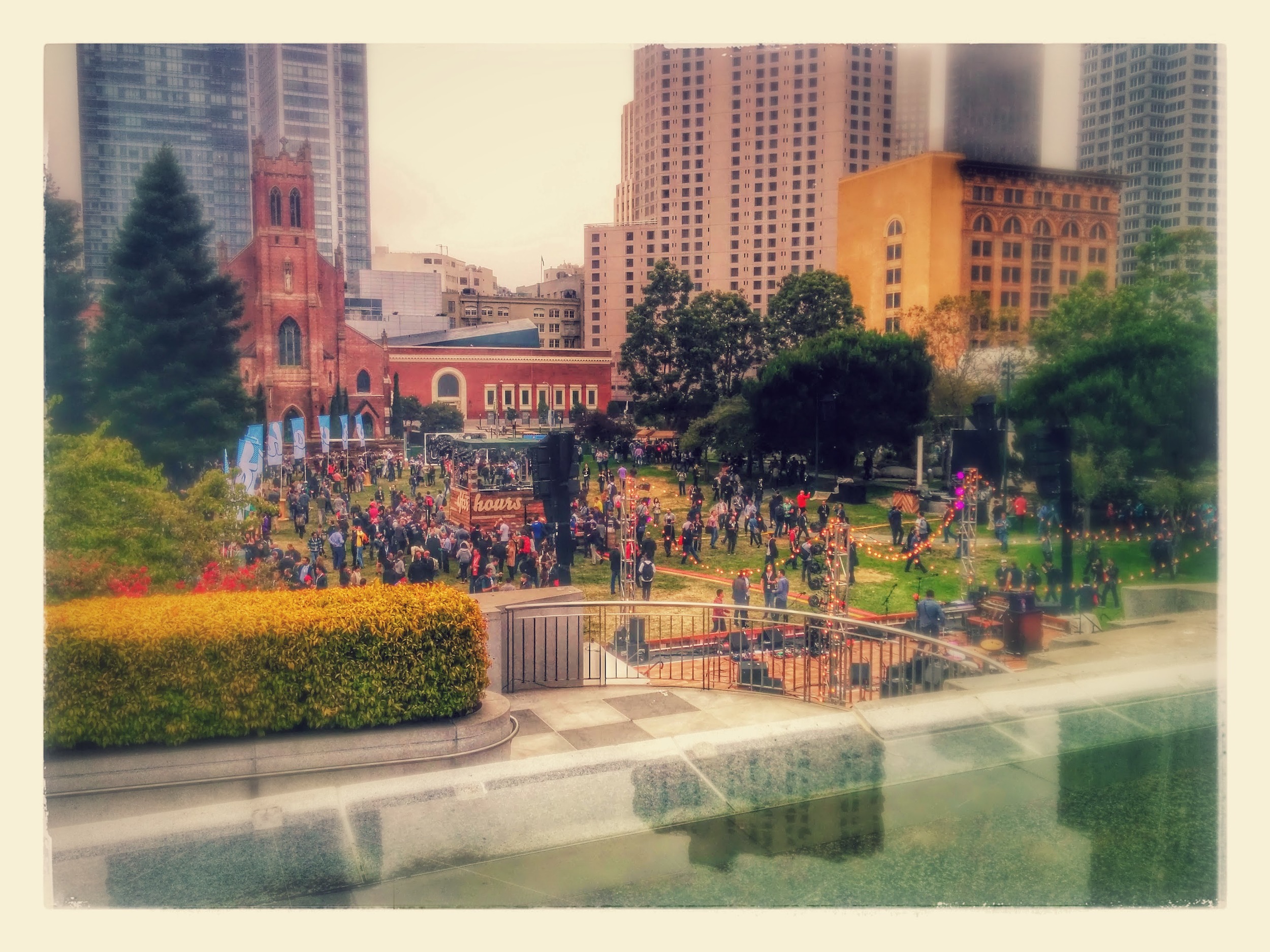
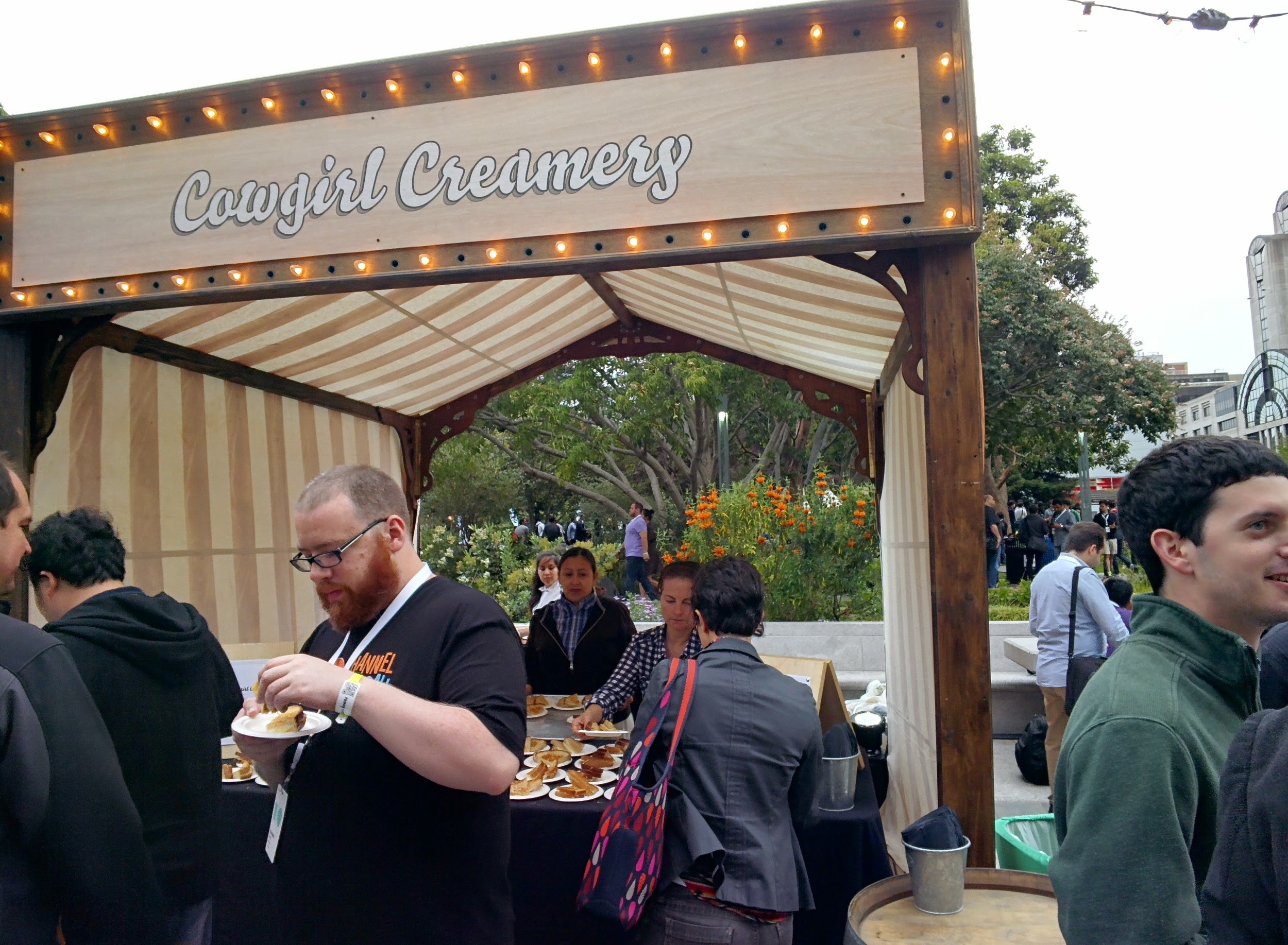
The after party was quite a bit different this year.  Instead of being in the Moscone center, they had an outdoor event in the local Yerba Gardens Park.  It was a welcome change and a nice event.  It was much easier to party (meaning get beer, food, or actually talk to people). 

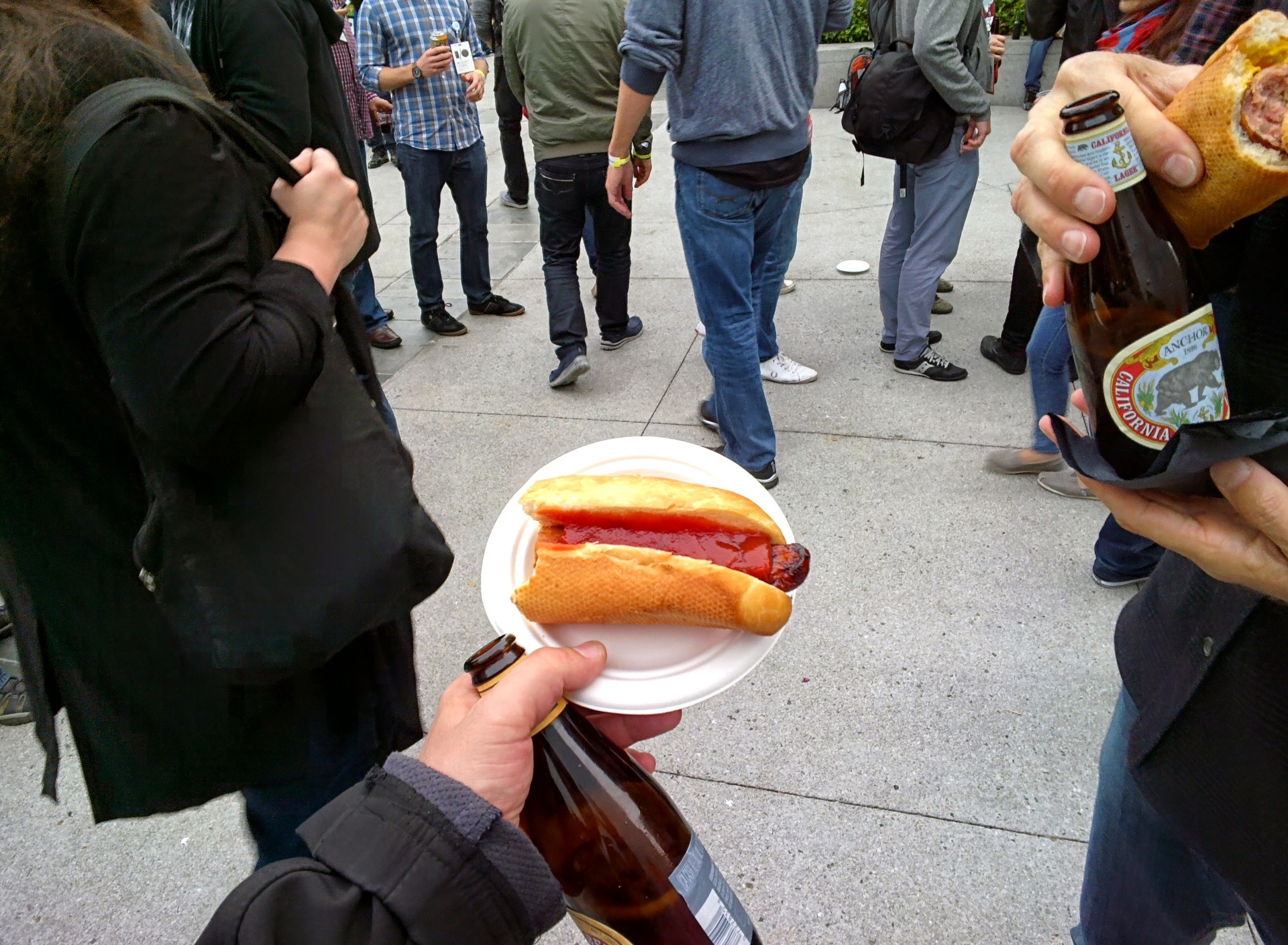
The food was quite unique as well.  Instead of steam-table hotel food, they brought in local food vendors to setup Food Truck style vending booths.  Some of the highlights for me included great dim sum, blueberry pie ice cream, a decadent Smore treat, and an incredible hot dog (from 4505 Meats).  There was some sort of Beer and Bacon combo that seemed to garner a lot of praise, but I wasn't able to snag one before they ran out.

Attending IO is tiring!  By the end of the day, my energy is sapped.  I did get a chance to attend a few other parties.


Great giveaway at the "Big Android Meat and Greet".  Delicious pulled pork sliders as well!

We got there early (and left early).  It got packed fast (sold out few times over).

Great Job!


Drinks and food from Yahoo, free.

The chance to discuss open-source with "JBQ" (Jean-Baptiste Quéru), priceless.

Incredible opportunity to brush up for my Oscon Panel on open-source next week.


#9 I could do this every day

Although my brain would explode quickly, I wish I could hang out at IO all year.  The chance to engage with like minded developers, and learn is really fun.   I meet smart and interesting people at every GDG event I attend (and they happen every month). 

If you haven't engaged with your local community, now is the time!

GDG on Google +

GDG on the Web

Until next year...

Until next year...

Droid of the Day is History

After 3 years of running my daily app, I have decided to move onto other projects.


DOTD is not DeaD!  I plan to leave it in the Play Store, as a catalog of great Apps.  I won't be doing much active development, or selecting new apps to feature.

 
DOTD_Dead_450.png

I first started this as a hobby, to have a 'real' app to show off during the Google IO conference in May of 2011.  Since starting, I have turned the hobby into a full time job, and realized many opportunities.

Having DOTD has been a wonderful experience.  It has been very educational supporting an app with a decent sized user base.  Being able to do this during the explosive growth phase of Android has been very rewarding (and challenging).

I specifically picked a concept that requires active development (and content creation).  My intention was to use the  'Agile' methodology of software creation (delivering frequent releases).  I released an update on average every 3 weeks (with a new feature or refinement in each one).  The app was constantly being upgraded.  Being able to release apps to the Play store without friction made this possible. 

The initial release had the following functionality:

  • View a free Android with a link to download it from the 'Android Market' - that's it, you couldn't view previous days, or do anything other than view today's app

The app today has the following functionality:

  • Historical app catalog (with 1200 apps as of today)
  • Holo Compliant UI
  • Tablet specific layouts and optimizations
  • Internationalization (translations in Italian, German, Dutch. Hindi, and Spanish)
  • Tons of features and options specific to creating lists of Apps based on user suggestions
  • ... - a long list of features many which I never would have envisioned in the beginning

If I had all the time in the world, there are many things I would like to do.  Monetizing is not one of those - I never really wanted the responsibility that comes with money (I can do that during my day job).  This was intended to be a hobby app, I wanted to see how far I could take it.

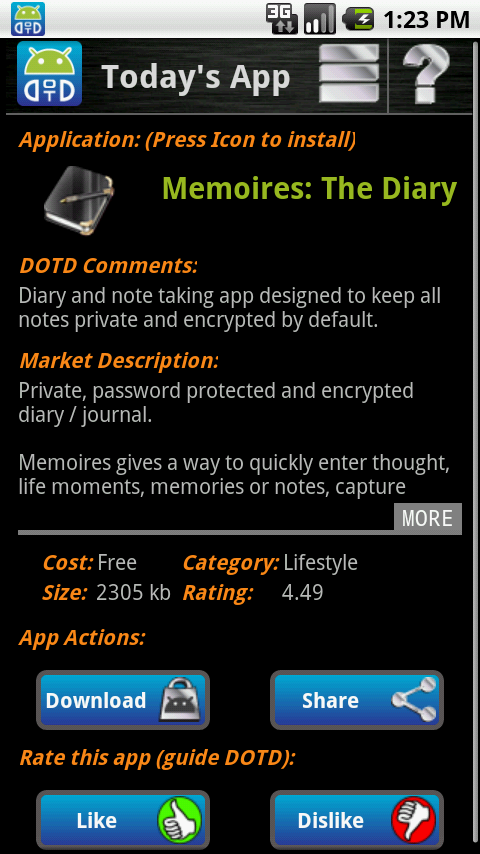
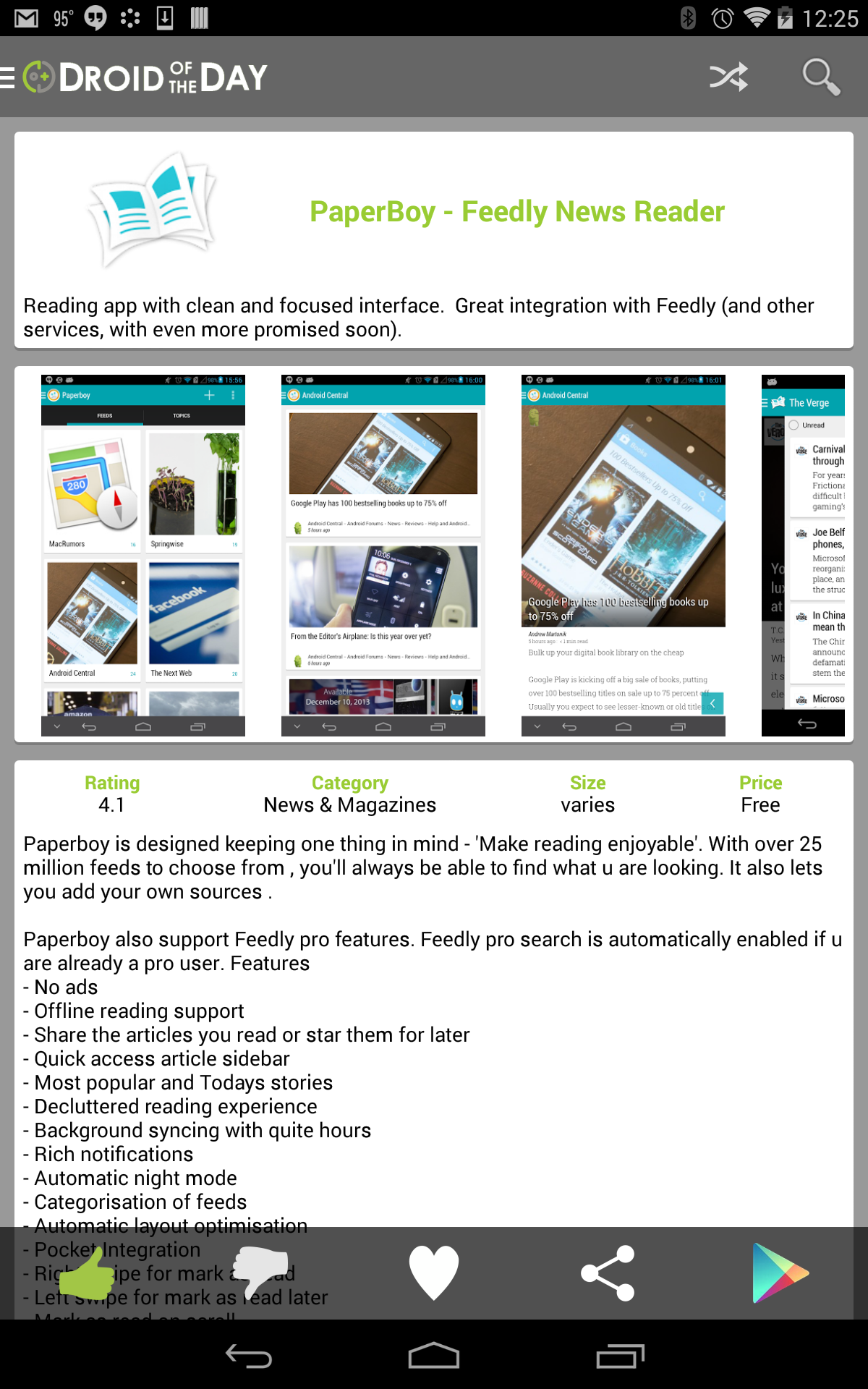
To conclude I will share a teaser for a future post I plan to write (discussing the evolution of DOTD, and the design of Android).  Here are some screenshots showing the evolution of the UI throughout the years.  It evolved quite a bit.

screen3.png

Thanks for the support throughout the years - it has been a fun ride.

-Mike

Starting a new role today (still with Epocrates/athenahealth)

Today I effectively start my new role in the 'Stability' group at Epocrates/athenahealth.  I will be working on the existing 'Essentials' Android product (Epocrates) in a technical role.

My new role allows me to concentrate more on coding and development (the stuff I live for, and do in my spare time for fun) vs. the technical leadership and management I was doing previously on our 'Secure Text Messaging' product. (* hope to share a Beta link soon)

It was great fun to work on STM during such a dynamic time (in the product, and the company) - now I am ready to help transform 'Essentials' into a great Android experience.